Page 12
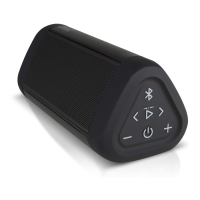
- Press and Release the Bluetooth Button on the OontZ Angle 3 Pro
- Wait for about two seconds until you hear a "chime"
- After the "chime" talk to Siri through the mic on the OontZ Angle 3 Pro
- The response from Siri will then play through the
OontZ Angle 3 Pro, and may display information on your iPhone or iPad
Your iPhone or iPad needs to be on the latest version of iOS
Talk to Siri on your iPhone or iPad through the OontZ Angle 3 Pro
This feature works when connected to an iPhone or an iPad over Bluetooth.
To talk to Siri through the OontZ Angle 3 Pro














 To Next Page