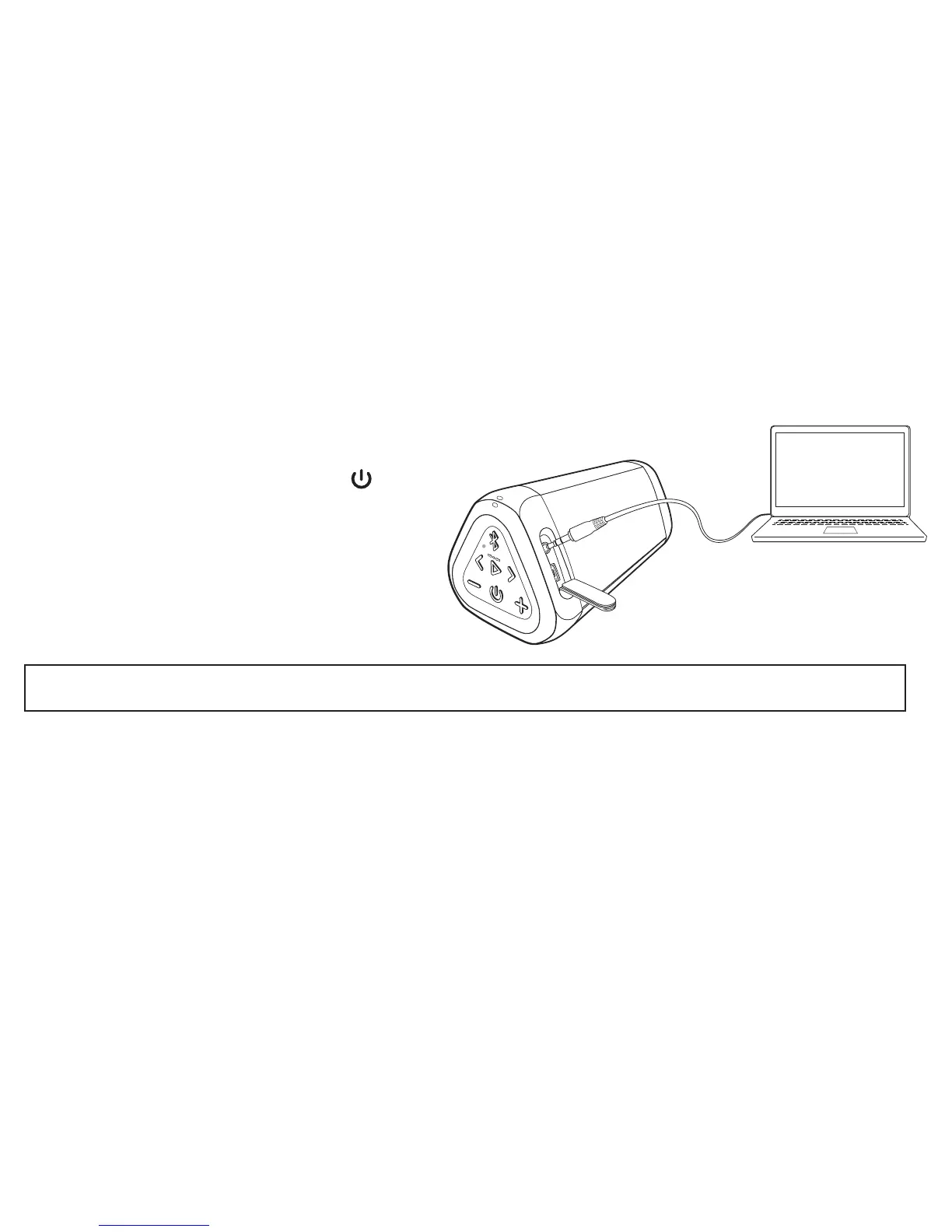
- Plug one end of a 3.5mm stereo audio cable into the
AUX IN Jack on the speaker.
- The Blue Light will turn solid Green.
- Plug the other end of that 3.5mm stereo audio cable into
the headphone jack on your device.
- Make sure both ends of the cable are fully inserted
- You are now ready to play.
3.5mm stereo audio cable is sold
separately and is available at:
Important: The Bluetooth on the OontZ Angle 3 RainDance is disabled when a 3.5mm stereo audio cable is connected to the speaker.
You need to remove the 3.5mm stereo audio cable from the speaker in order to connect to a Bluetooth device.
Page 20
- Note: The rubber flap needs to be closed before the speaker is exposed to water.
The speaker is not water-resistant or waterproof when the flap is open.
Turn ON your OontZ Angle 3 RainDance
To Play with Non-Bluetooth Devices Use a 3.5mm Stereo Audio Cable
- Note: The volume control on your device and the speaker work independently of each other. To play the speaker at the loudest
volume, set the volume on your device to maximum and raise the volume on the speaker to maximum.
TheOontZ.com/accessories



 To Next Page