Page 18
– Turn on both OontZ Angle 3 speakers.
– Pair and Connect one of the speakers with your device. When connected the Blue Light will be lit Solid Blue.
This speaker will serve as the Play Control Speaker.
Ȃ7KHVHFRQGVSHDNHUPXVWQRWEHFRQQHFWHGWRDQ\GHYLFHLWV%OXH/LJKWQHHGVWREHȵDVKLQJΖIWKHVHFRQGVSHDNHUKDVDVROLG%OXH
Light it is connected to a device and you need to disconnect it by pressing and holding down the Bluetooth Button for 3 seconds
XQWLOWKH%OXH/LJKWEHJLQVȵDVKLQJ
- On the Play Control Speaker (speaker with solid Blue Light) press and hold down the 3OD\3DXVHEXWWRQ for 3 seconds until the
Play Control Speaker says “Dual Pairing”.
- After a few seconds the Play Control Speaker will say “Left Channel” and the second speaker will say “Right Channel”. The Play Control
Speaker speaker light will remain solid Blue and the second speaker light will be solid White. The OontZ Angle 3 speakers will be
connected together for Left Channel - Right Channel and you are ready to play.
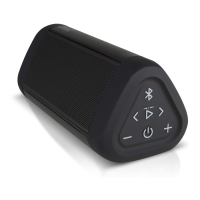
Connecting two OontZ Angle 3 speakers together for Left Channel - Right Channel














 To Next Page