Pair & Connect -- Step 2 --
-- From Your Amazon Echo device
Page 12
- Open the Alexa app
- Press 'Devices' by pressing the 'Devices' button in the bottom right corner
- Press 'Echo & Alexa'
- Select your Amazon Echo device under list of devices displayed by pressing it
- Press 'Bluetooth Devices'
- Press 'Pair A New Device'
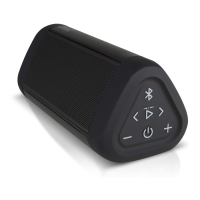
- Select the 'OontZ Angle 3 TWS xxx' (xxx: 3 characters unique to your speaker) when it appears
- The OontZ Angle 3 will make a 'ding' sound when connected
To connect the next time, turn on the OontZ Angle 3 and say "Alexa, connect my speaker" or "Alexa, pair"
7RSDLUDQGFRQQHFWWKHȴUVWWLPHZLWKDQAmazon Echo device use the Alexa app on your device.














 To Next Page