OP5600/OP5650 User Manual OPAL-RT Technologies 14
OP5600 Series/OP5650 Simulator
Hardware Configuration
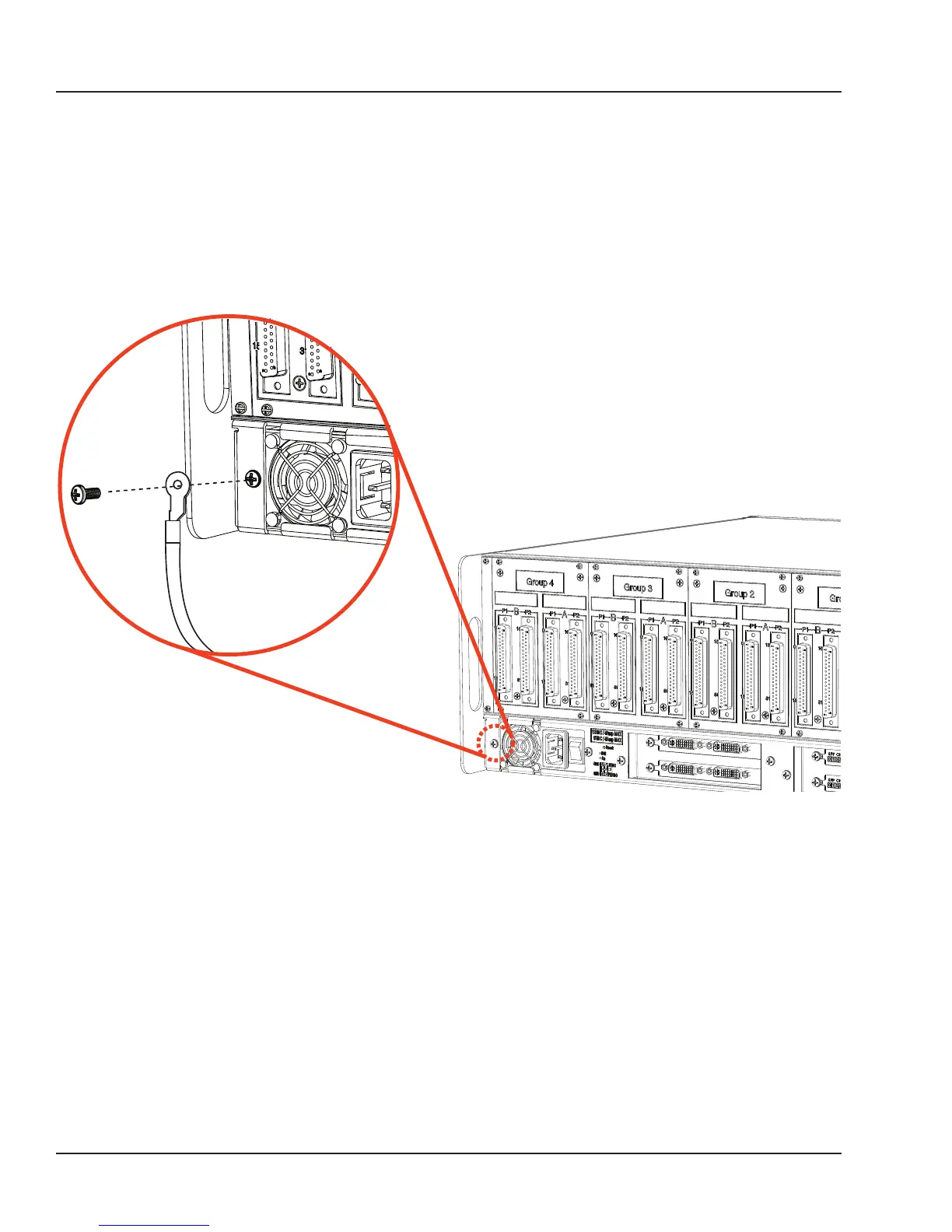
Connecting the Ground Screw
You must connect a grounding cable from the OP5650 ground screw to the rack (or any other strong
ground) to ensure that the OP5650 terminates securely in a ground. Proper grounding will help prevent
electric shocks, protect the OP5650 from voltage spikes (from a variety of causes, including lightening
strikes), and provide increased immunity from EMI by lowering noise levels and emissions.
1. Select a flat braided grounding strap of adequate length (as short as possible provides best
protection), with ring terminals on each end.
2. Attach one ring terminal to the ground screw on the OP5650 (shown in Figure 7)
3. Attach the other ring terminal to the rack using a nut and lockwasher.
Figure 5: Connecting the OP5650 to the ground



 To Next Page