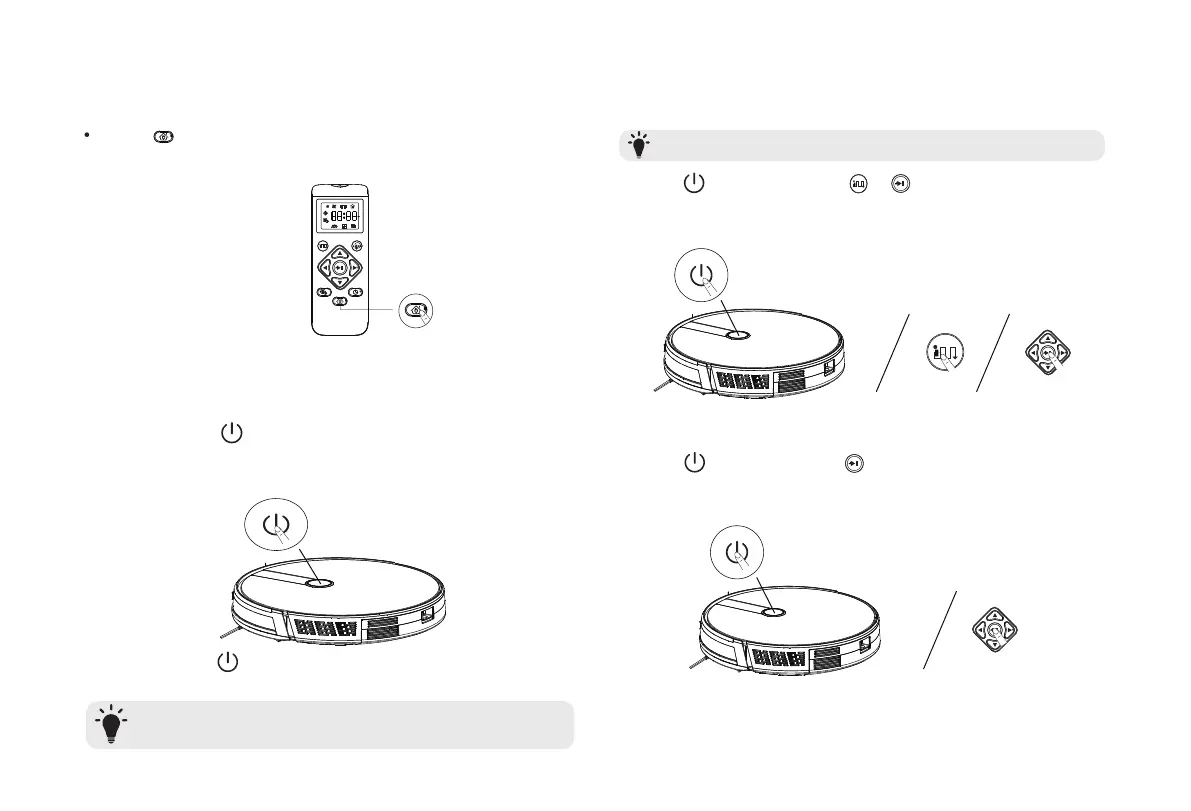
Turn On and Turn Off
Start / Stop / Wake up
Method 2
Press on the remote control to return Robot to the
Charging Base
Turn off the Robot if it will not be used for a long period of time. To preserve
the battery’s lifespan,recharge at least once every 6 months.
Make sure the Robot is turned on before use.
Press on the Robot until the indicator light on
the Robot turns on and the “welcome to use sweeping
robot” Prompt Tone
Turn On
:
Press on the Robot until the indicator light on
the Robot turns off.
Turn Off
:
1. Press on the Robot or / on the remote control to
start cleaning in Auto Mode
2. Press on the Robot or on the remote control to stop
cleaning
T
T
8


 To Next Page