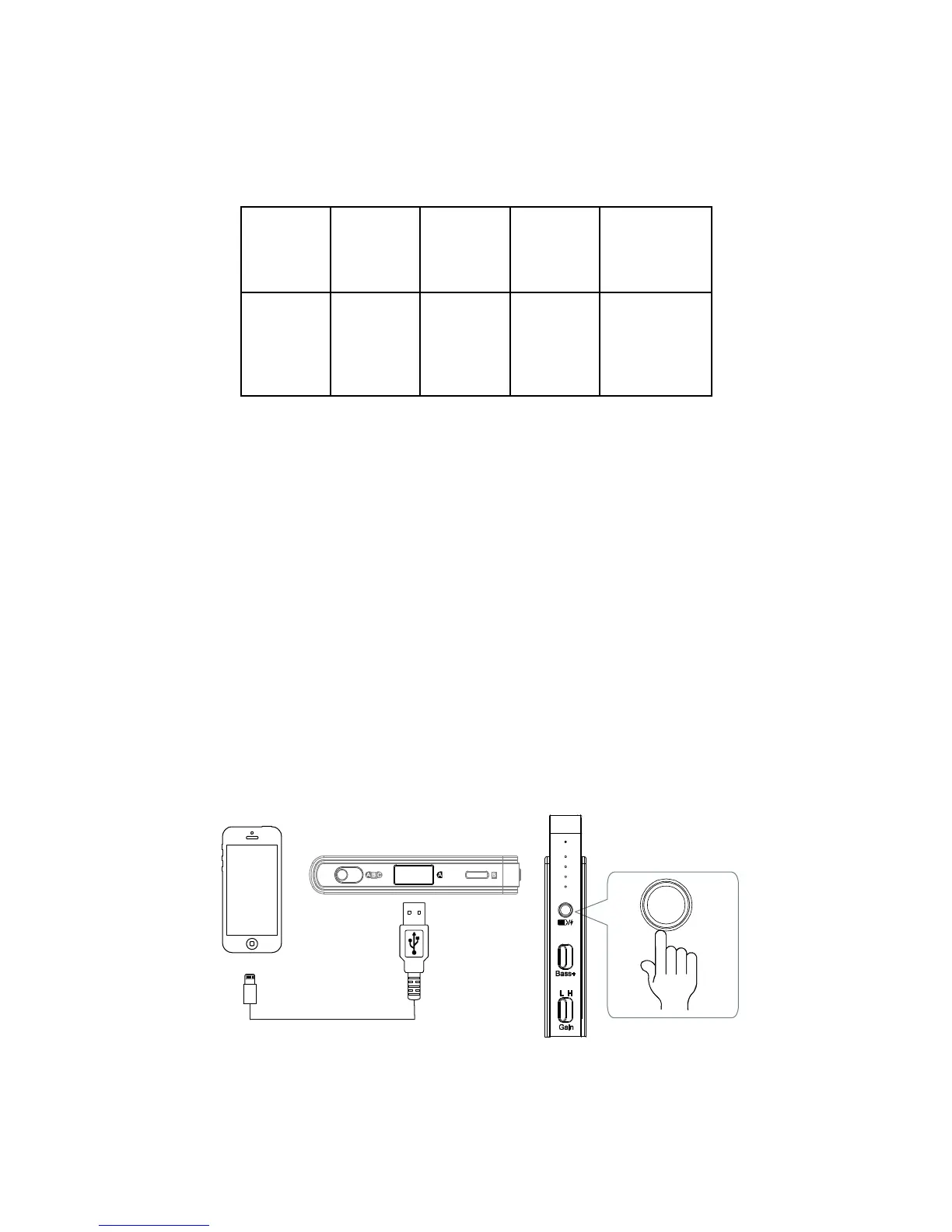
Checking Battery Level
Press the Battery Check / Power Bank Button briefly to check
the battery level. The Battery Level Indicators will light up to
show the remaining battery power:
< 20% 20%
-
25%
25%
-
50%
50%
-
75%
75%
-
100%
Legend:
- dark
- red light
- green light
When the battery level is below 20%, the Battery Level
Indicators will automatically light up in red as a reminder to
charge as soon as possible.
Charging Other Devices
The unit can be used as a power bank to charge other mobile
devices.
Connect the mobile device to the unit’s USB A port
using the charging cable that comes with your mobile
device.


 To Next Page