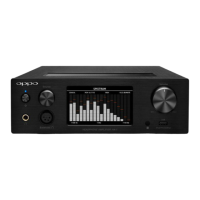
Connect the Line-out jack to the stereo audio input of
your amplifier or powered speakers.
Connect the unit to your music source according to the
connections described above. Set the Source Selector
to the correct position. Please note that the Line-out is
only active when sources A or B are selected.
Turn on your amplifier or powered speakers and set at
minimum volume.
Turn on the unit by rotating the Power/Volume Knob
clockwise. You will hear a click and the green Power
Indicator will light up.
Start music playback from the source device.
Gradually increase the volume on your amplifier or
powered speakers to a comfortable listening level.
CAUTION:
When both the Headphone Jack and the Line-out Jack
are plugged in, only the Headphone Jack will output
sound. Please do not plug in headphones if you need
to use the Line-out Jack.
The Line-out is at a fixed volume level. The
Power/Volume Knob of the unit does not affect the
volume of the Line-out. Please use the volume control
on your amplifier or powered speakers.
Quick Reference Chart
Input, Output, and Source Selector for various sources:
Playback
Source
Source
Selector
Input
Port
Output
Jacks
iPod,
iPhone,
iPad
A
(left)
USB A
Headphone
or Line-out
Other
Smartphones
B
(center)
USB
micro-B
Headphone
or Line-out
Computers
B
(center)
USB
micro-B
Headphone
or Line-out
Other
Devices
C
(right)
Audio-in Headphone


 To Next Page