Source Device Connections
It is recommended that you turn the unit off before making the
connections.
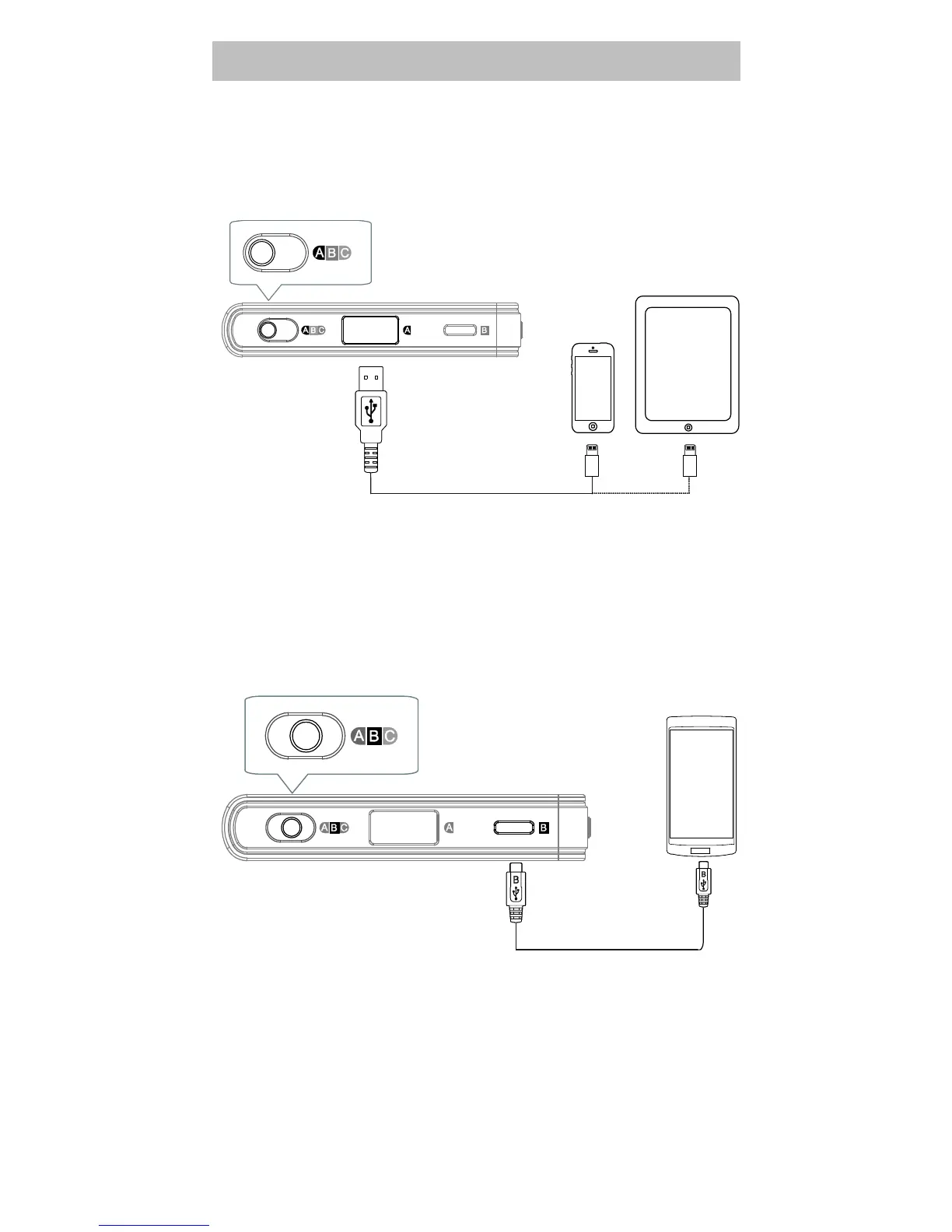
iPod / iPhone / iPad
Set the Source Selector to position “A”.
Connect the USB A port of the unit to the iPod / iPhone
/ iPad using the supplied USB A – Lightning data cable,
or the cable that comes with your iPod / iPhone / iPad.
Smartphones with USB OTG Feature
Set the Source Selector to position “B”.
Connect the USB micro-B port of the unit to the
smartphone using the supplied USB micro-B – USB
micro-B data cable.


 To Next Page