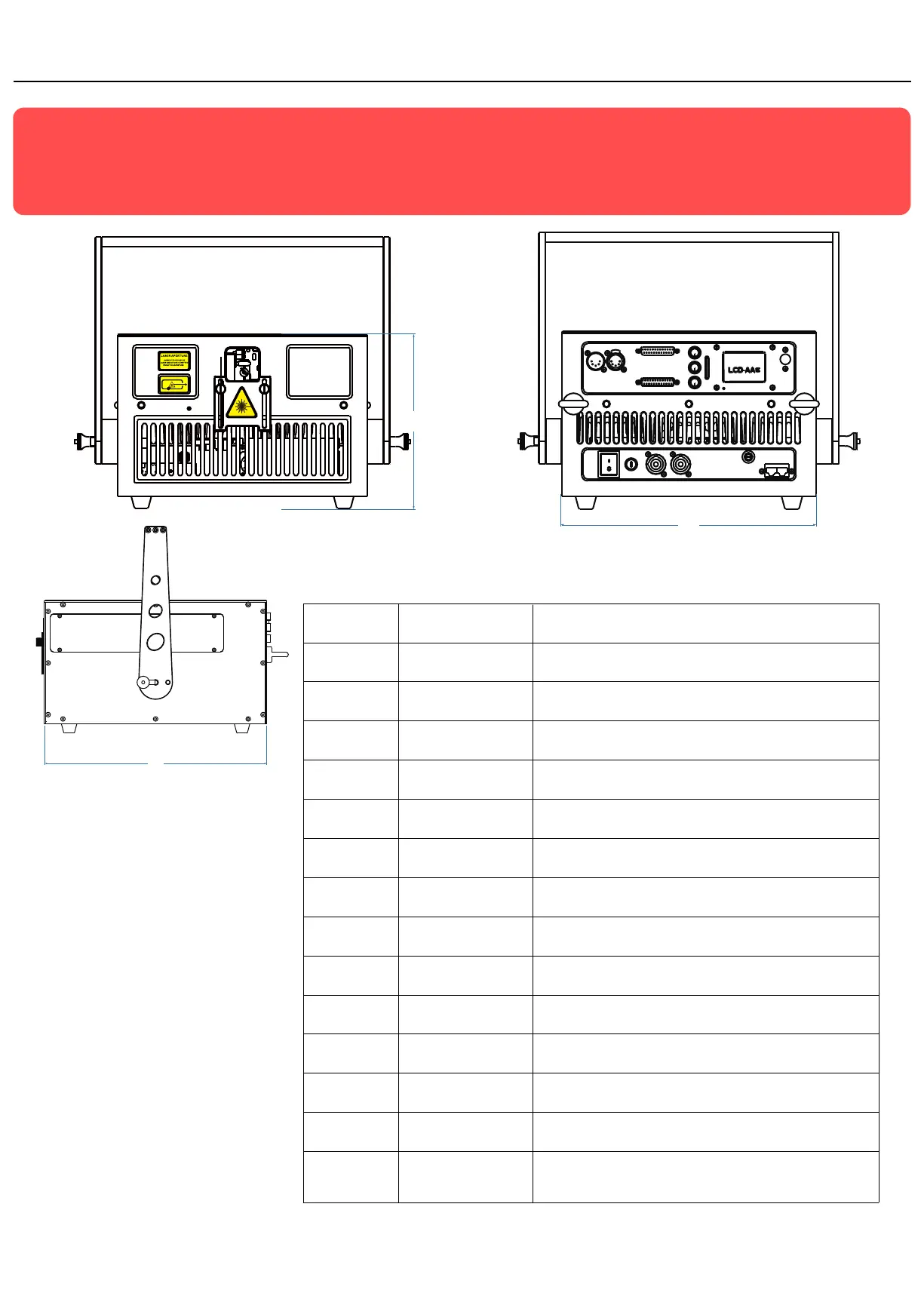
215 .00 mm
30 8.00 mm
360 .00 mm
1
Laser aperture
(covered by masking plate)
DO NOT look directly into this aperture once the masking plate gets loosen
When this indicator is lit up the laser system is ready to emit the laser
radiaon as soon as it receives instrucons from control soware.
Laser Emission
LCD Display
2
3
4
5
6
7
8
9
10
11
12
13
14
Integrated with mul sengs on the projector, please refer to detailed
sengs (on Page 11. ) for the LCD
ILDA Input & Output
DMX Input & Output
PowerCON Input & Output
INTERLOCK (RJ45 jack)
Power Switch
FUSE
Keyhole
Menu knob for LCD Seng
SD-Card Slot
Safety Ring
DB25 connecons input and output for ILDA mode display
3-pin DMX connecons input and thru for DMX512 mode display
Power connecons input and output
Laser output is available only when the interlock is connected.
BotLaser output is available only when the interlock is connected.
Power On/Off
Safety element; current rang 8amps
Key Switch, laser output is available when the key is moved to posion “on”
The knob for the main sengs on LCD, click it to wake the LCD and rotate
it for corresponding status seng
Slot for SD-Card which you may have your own laser files to export on
The ring for enwinding a safety rope when the laser device will be installed
on out-of-reach locaons.
Color intensity knobs R/G/B power intensity adjustment, rotate or an-rotate to adjust power
PD20 SERIES
Standard Verisons(without FB4 built-in)
15 Alignment window
1
Laser on
Emission
2
3
4
5
6
7
R
G
B
8
9
10
11
12
13
14
14
15
21



 To Next Page