GFPIII operation manual Opti-Sciences, Inc.
Setup Mode
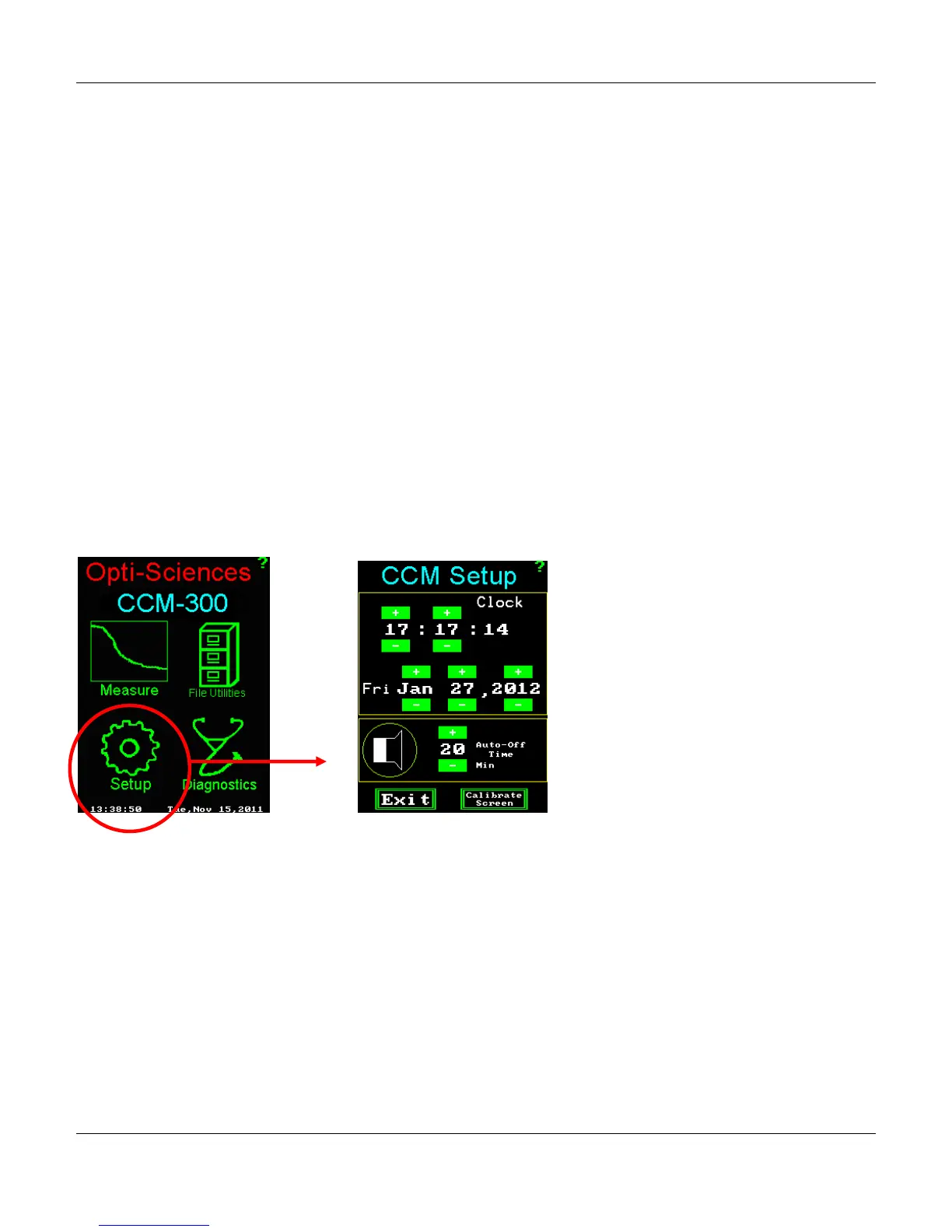
After assembling the instrument, go to the Setup mode to set the time and date stamp for all
measurements. Use your finger or the stylus to tap the + or – boxes to set the date and time.
The Auto – Off Time feature is preset to 20 minutes. This is a battery saving feature that turns off the
instrument if a button or box has not been tapped for the period selected. It is adjustable from 5 minutes to
20 minutes.
The horn icon contains the controls for the beeper and auto-off feature. Tapping the speaker icon will
toggle the beep tone on/off.
The Calibrate Screen button will adjust the touch panel. The screen is pre-calibrated. A calibration is
only needed if a key location and its active press area do not coincide. This may be most apparent
when entering in file names using the on screen keyboard. Should pressing a key consistently result in the
selection of an adjacent key, then a calibration may be necessary. With normal use this should not occur.
Changes in this screen are automatically saved.
13



 To Next Page