21
16B Love Controller – Guide
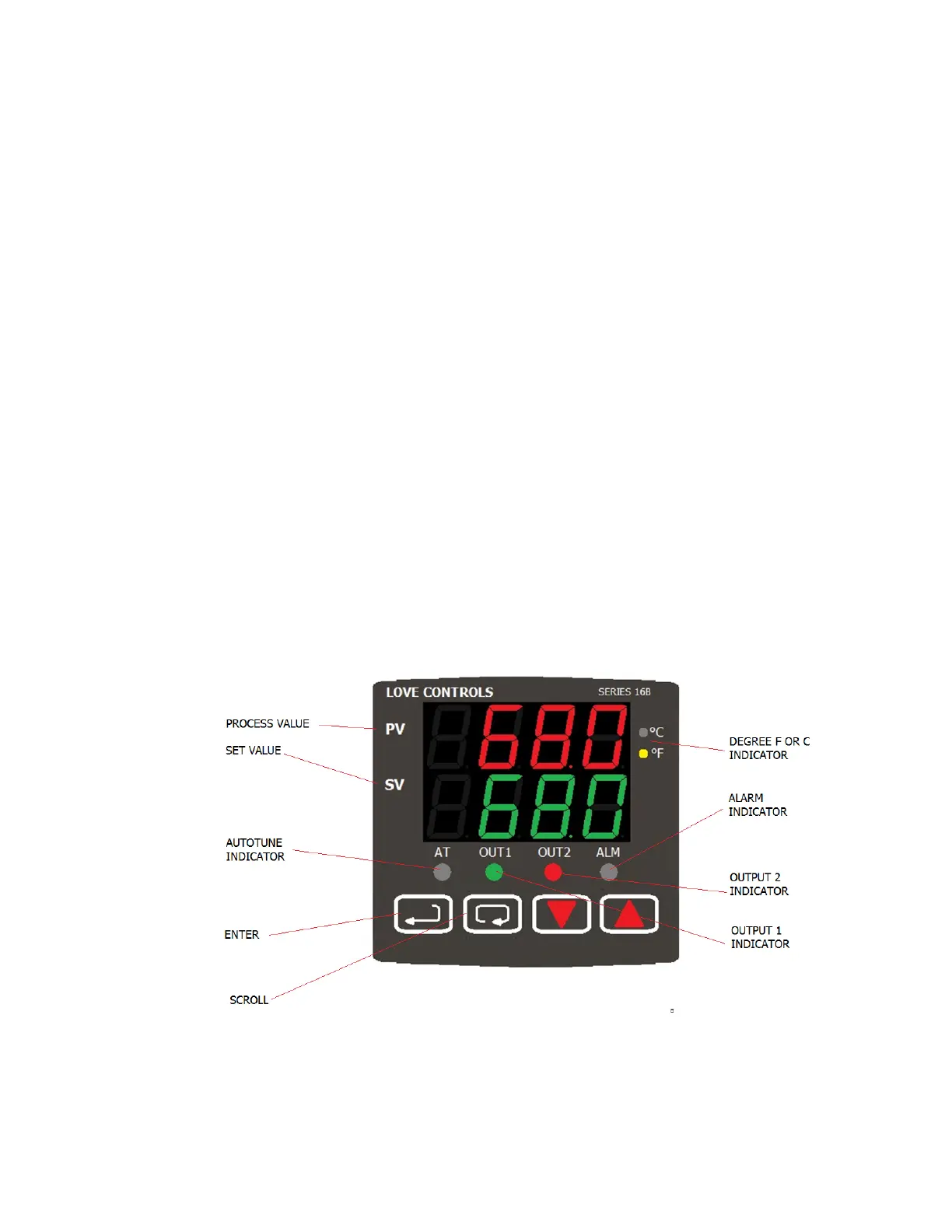
1. In addition to the Home Screen, there are three menu's in the 16B-XX Love Control
a. Home Screen
i. Used for setting the parameter to be controlled. Typically it is the
temperature, water purity level, pressure or flow.
b. Operation Menu.
i. To access the Operations Menu, press the scroll button.
ii. Use the scroll button to move through the menu.
iii. Use the arrow keys to make any changes and press Enter to save them.
c. Regulation Menu.
i. Sets PID parameters as well as other items associated with the control of
the chiller.
ii. To access the Regulation menu, press the Enter Key and release.
iii. Press the Scroll button to scroll to each item in the menu. Use the arrow keys
to make any changes and press Enter to save them.
d. Initial Setting Menu
i. Used to set basic items such as the input device, the displayed units as well
as setting up how the contacts will operate.
ii. To access the Initial Setting menu, press the Enter key and hold for five
seconds. Press the scroll button to scroll to each item in the menu. Use the
arrow keys to make any changes and press Enter to save them.
2. Please note that when programming a control from its default program you must go through
the menus in this order: Initial Setting, Regulation, Operation. The reason for this is that
items set in the Initial Setting menu determines which items are displayed in the Regulation
and Operation menus.
3. We ship the controllers with a generic program that provides good control in most cases. If
the control is not as precise as required the controller has a self tune mode. See the
controller user manual for more information.



 To Next Page