27
arrangement with one controller on the unit and a second located remotely. In this case, set
the Local/Remote switch to Local to make it easier to diagnose.
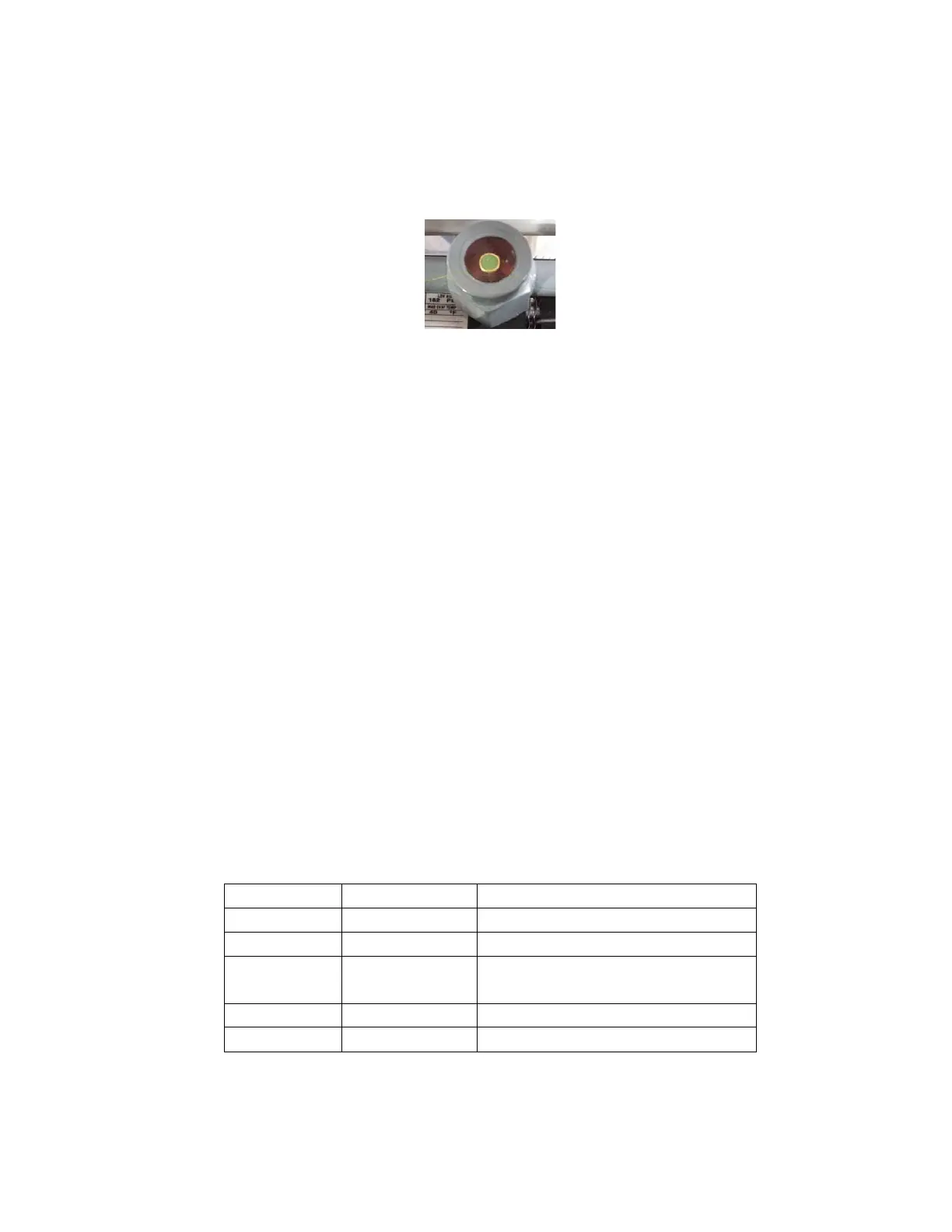
2. The second item is the refrigerant sight glass (Figure 1). This is a window into one of the
refrigerant lines. In the center it will have a colored dot (almost always green, sometimes
purple).
Figure 1
There are three typical states you will see in the sightglass. The first is completely clear. This can
mean either completely full or completely empty. It is next to impossible to tell. The second is a level
of clear liquid running in the bottom of it. The third is bubbles of some form. They may be large
enough to identify as bubbles or so small it appears like a fog. Most people (and technicians
unfamiliar with the way our system operates) usually assume that any sign of bubbles means it is low,
but that is not necessarily the case.
Now that we know what we need to look for, I’ll tell you how to look for it. The typical scenario is that
the chiller is running with the correct load for the system. The temperature will slowly drift up from the
set point and then either maintain a higher than desirable value or increase to the point that your
process requires it to be shut down. The time to check is when the temperature has drifted up to the
point that the cooling solenoid is energized 100 percent of the time. To judge this, check the output
indicator table at the end of this document (Figure 2). Find what output indicator your control uses to
indicate cooling is on. For this example I will use a 16A series control, which is SP1.
Locate the SP1 indicator on the face of the control. If it is cycling on and off, the issue is a controller
issue, not a refrigeration problem. Check the programming in the controller against the settings in the
back of your manual. If the SP1 indicator is on 100 percent of the time, then you can check the
sightglass and it should be clear. If you see a level of liquid or any sort of bubbles, it is most likely low
on refrigerant. There are a couple of other refrigeration related issues that may cause the bubbles
but they are beyond the scope of this article and will require a certified refrigerant technician to
properly diagnose. If the sightglass appears clear it may be either full of liquid (good) or full of vapor
(bad). An easy way to check this is to reset the controller set point to whatever temperature the
control is currently reading from your process. The controller will attempt to maintain the new setpoint
and start to cycle the valve used to regulate refrigerant flow through the heat exchanger. When it
stops and starts the flow you will be able to see the refrigerant as the valve opens and closes. If the
sight glass still appears to be clear, it is most likely low on refrigerant and a service call will be
required.
Love 16B series OUT1
Watlow All
If unit is equipped with heat, 2. If it
does not have heat it will be 1
Allen Bradley 900-TC16 OUT1
Future Design 9300 series OUT
Figure 2



 To Next Page