THE CLIMATE FACTORY/USER MANUALS/OPTICLIMATE SPLIT (INVERTER)
www.theclimatefactory.com info@theclimatefactory.com
© The Climate Factory
PUTTING INTO OPERATION
9) Reading function for the temperature sensors
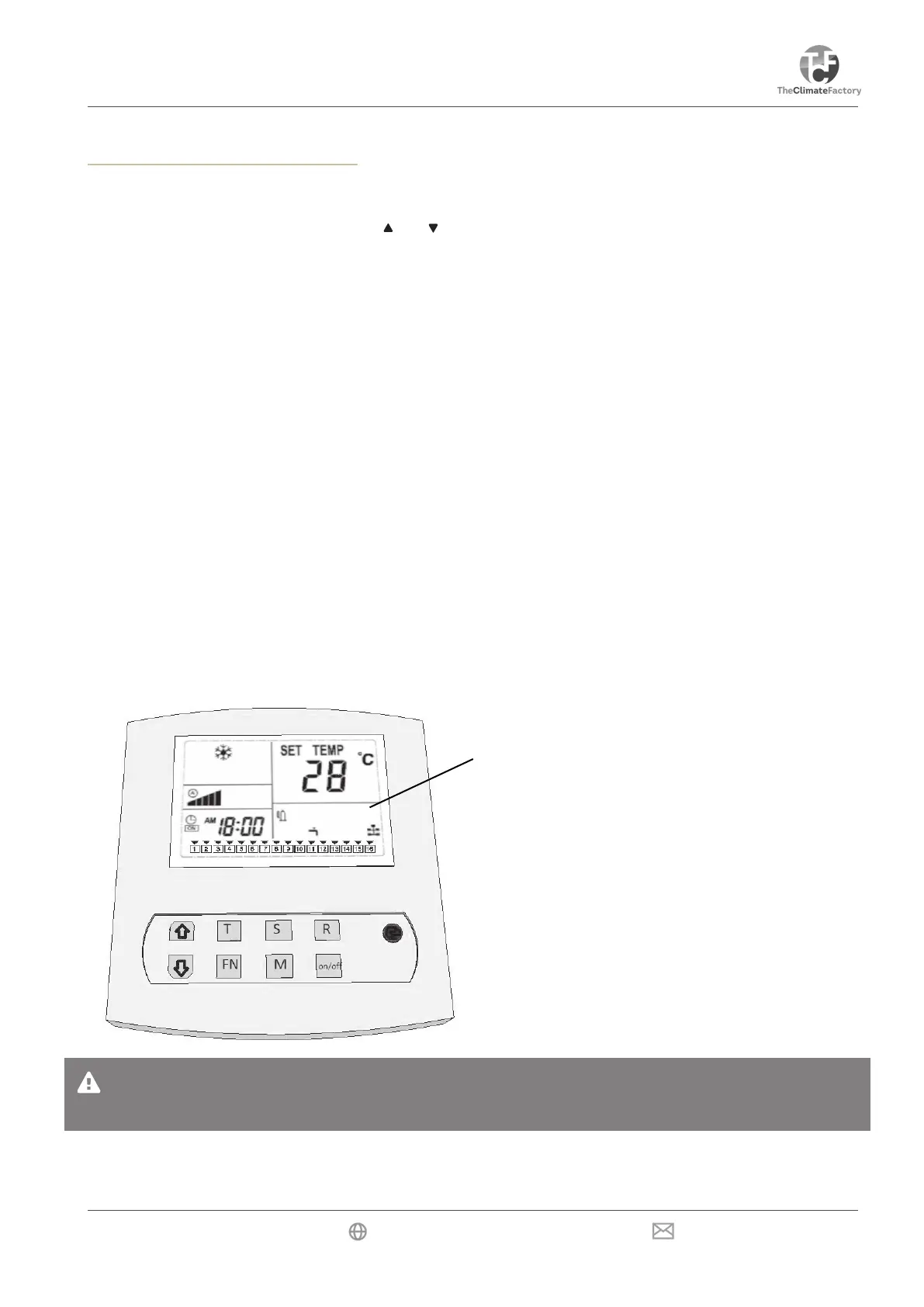
Press the S key and the sensor will show the temperatures. The number and temperature of the sensors will
show in the spot of the clock. Pressing the and keys will allow users to select the reading of the various
sensors.
CLOSING: Press the S key to close immediately or wait 60 seconds to close automatically.
C:01= Temperature of cooling block
C:02= Temperature of refrigerant outdoor unit (liquid / return)
C:03= Temperature room 2 (only in case of a dual room conguration, now -40°C)
C:04= Intake (warm) air temperature
C:05= Outlet air temperature
C:06= Temperature of low-pressure (for compressor)
C:07= Temperature of outdoor air (with outdoor unit)
10) Reading function for the error codes
The unit malfunctions if the ON/OFF LED ashes red and green. E:XX will show the actual error code. If the
problem is solved automatically, the error code will disappear.
The error log (alarm history) in located at the bottom in the display of the remote control. If an error occurs,
the error will be continuously visible at the bottom of the display, even if the error has been solved. This way
a malfunction or incorrect setting that is about to come up can be noticed and/or resolved at an early stage.
Deleting the error log (alarm history)
When resolved, errors in the log can be deleted by pressing and holding the R key.
Error codes
Nota:
Keep the alarm history clear so that problems can be easily resolved at an early stage!


 To Next Page