10
Using AC Power
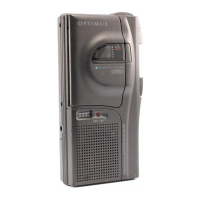
To power the Micro-35 from an AC outlet,
you need an AC adapter (not supplied),
such as Cat. No. 273-1654, and an EIAJ
2.35 mm outer diameter/0.7 mm inner di-
ameter adapter barrel plug (not supplied),
such as Cat. No. 273-1646.
Cautions:
• You must use an AC adapter that sup-
plies 3 volts DC power and delivers at
least 200 milliamps. The center tip of
the adapter barrel plug must be set to
positive, and the plug must properly fit
the Micro-35’s
DC3V
jack. The recom-
mended AC adapter and plug meet
these specifications. Using an AC
adapter and plug that do not meet
these specifications could damage the
Micro-35, the AC adapter, or the plug.
• Always connect the AC adapter to the
Micro-35 before you plug it into the AC
outlet, and unplug the adapter from
the AC outlet before you unplug it from
the Micro-35.
14-1162.fm Page 10 Thursday, July 1, 1999 3:41 PM



 To Next Page