31
2. Press
PLAY
to expose the tape-han-
dling parts.
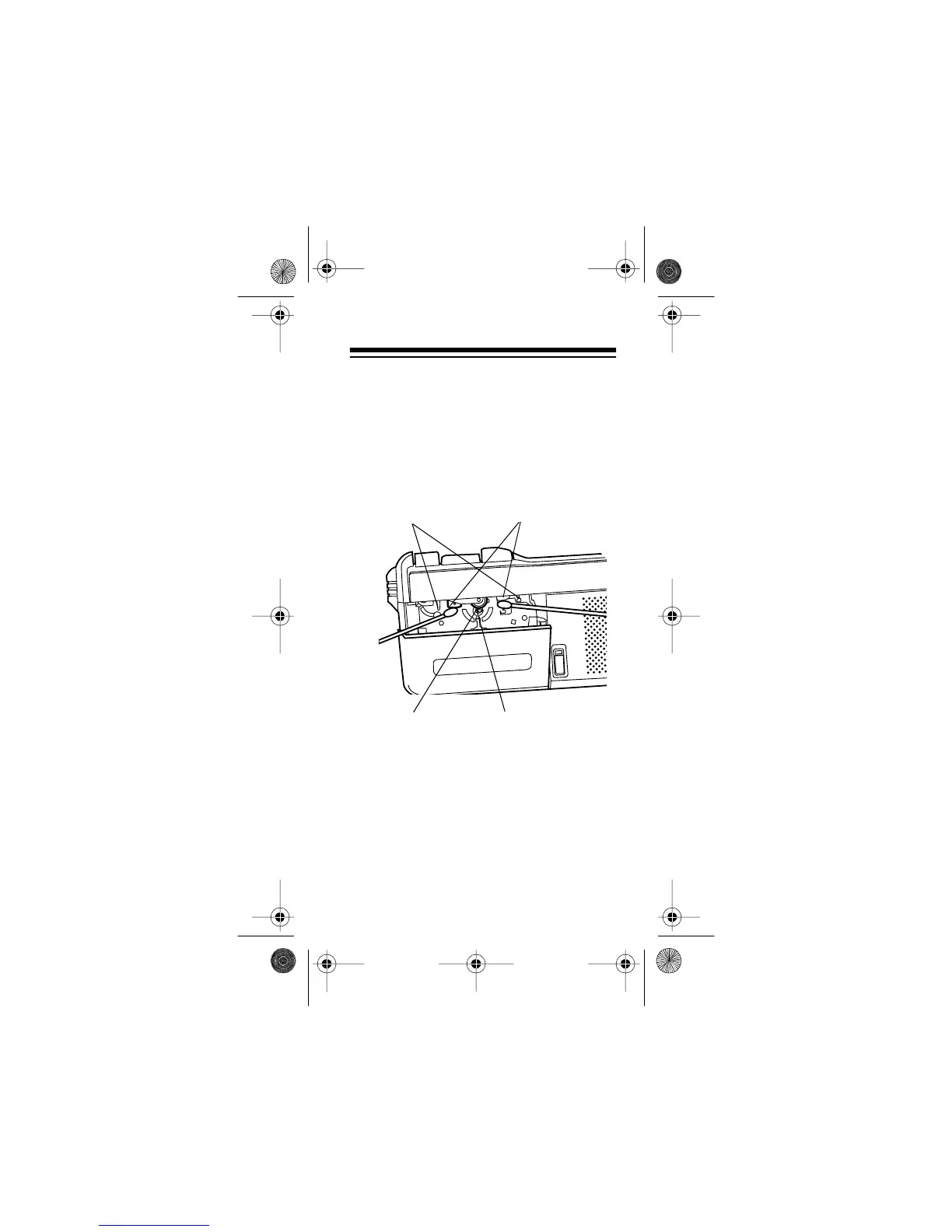
3. Use a cotton swab dipped in tape
head cleaning solution or denatured
alcohol to gently clean the playback
head, pinch rollers, capstan and tape
guides.
4. Press
STOP/EJECT
to release the
tape-handling parts. Then reconnect
power.
Note:
For easier cleaning, you can use a
microcassette cleaner kit, which includes a
special cleaning cassette. Your local Ra-
dioShack store carries a full line of cas-
sette deck cleaning supplies.
Tape Guides
Playback Heads
Pinch Roller
Capstan
14-1162.fm Page 31 Thursday, July 1, 1999 3:41 PM



 To Next Page