
 Need help?
Do you have a question about the Optimus Range and is the answer not in the manual?
Explains the operational flow of the intercom system for visitors and authorised users.
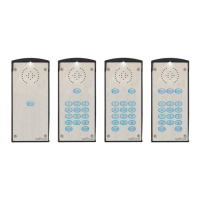
Details the physical characteristics and specifications of the Optimus intercom units.
Lists essential tools and materials required for the proper installation of the intercom.
Itemizes the components included with the Optimus intercom unit package.
Provides guidelines for optimal placement and secure mounting of the intercom unit.
Details the procedure for mounting the intercom unit onto various surfaces.
Offers recommendations for positioning the 4G antenna for maximum signal strength.
Explains how to route cables safely into and out of the intercom unit's backbox.
Outlines the correct procedure for connecting and disconnecting the unit's power supply.
Covers the essential steps for earthing the intercom unit for safety and protection.
Describes the wiring and connection points for the 4G LTE Input/Output board.
Details the various connection interfaces and points on the 4G LTE Printed Circuit Board.
Illustrates typical use cases and integration scenarios for the Optimus intercom system.
Provides instructions for inserting or changing the micro SIM card in the unit.
Explains how to customize unit settings using the GSM One App and SMS commands.
Lists and details specific SMS commands for advanced unit configuration and control.
Guides on how to safely replace the CR1220 lithium cell that backs up the RTC.
 General
| Brand | Optimus |
|---|---|
| Model | Range |
| Category | Intercom System |
| Language | English |

 To Next Page

