EasyManua.ls Logo

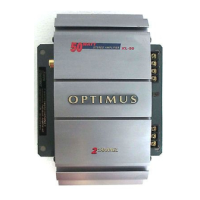
Optimus XL-150 - User Manual

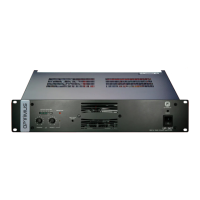
Optimus XL-150
28 pages
Print Icon
To Next Page IconTo Next Page
Loading...
Cat. No. 12-2015
OWNER’S MANUAL
Please read before using this equipment.
XL-150
High Power 4-Channel
Stereo Amplifier
12-2015.fm Page 1 Tuesday, July 13, 1999 3:47 PM

Questions and Answers

  • P
    Paul MasonJul 30, 2025
    What to do if my Optimus Amplifier has no sound?
    • D
      Diana MonroeJul 30, 2025
      If your Optimus Amplifier produces no sound, first, ensure your autosound system is on and the volume isn't set too low. Then, check the LEVEL controls on the amplifier. Verify all connections between the amplifier, autosound system, and vehicle are secure. If the amplifier has shut down, turn off your autosound system to let it cool, ensure proper ventilation, and then turn it back on. Also, the amplifier might have detected an input overload, so reduce the autosound system’s volume. Finally, inspect the amplifier’s and autosound system’s fuses, replacing them if necessary.
  • S
    Shannon MuellerAug 9, 2025
    How to fix Optimus Amplifier when the power indicator doesn't light up?
    • A
      Andre MccoyAug 9, 2025
      If the POWER indicator on your Optimus Amplifier doesn't light up when you turn on your vehicle's autosound system, it could be due to a power problem. Check the amplifier's and autosound system's fuses and replace them if needed. Ensure the vehicle's ignition is turned on. Also, verify that the amplifier is correctly connected to the autosound system and vehicle by checking all connections.
  • E
    Eric Webb Jr.Aug 19, 2025
    What to do if my Optimus XL-150 has distorted sound?
    • U
      usantiagoAug 19, 2025
      If your Optimus Amplifier is producing distorted sound, try reducing your autosound system's output power or volume. Also, check all connections between the amplifier and the autosound system. If the amplifier has shut down, turn off your autosound system and let the amplifier cool, ensuring proper ventilation, before turning it back on. If an output channel might have shorted, take the amplifier to your local RadioShack store.

Summary

FEATURES

INSTALLATION PREPARATION

Supplied Hardware and Initial Checks

Lists included items and pre-installation vehicle system checks.

Before Beginning Installation

Key questions about vehicle's electrical and autosound system.

MOUNTING AND ROUTING

Mounting Location Selection

Guidelines for selecting an optimal mounting location for the amplifier.

Cable and Wire Routing

Best practices for routing connection cables and speaker wires.

INSTALLATION ORDER

PRE-CONNECTION CONSIDERATIONS

POWER WIRING

Connecting Ground and Power Leads

Detailed steps for connecting the amplifier's ground and power leads.

AUDIO INPUT METHODS

Low-Level Input Connection

How to connect the amplifier using low-level line out jacks from the source.

High-Level Input Connection

How to connect using speaker outputs when low-level jacks are unavailable.

SPEAKER CONNECTION CONFIGURATIONS

Four Speaker Output Setup

Details on connecting four speakers with different grounding methods.

Two Speaker Output Setup

Details on connecting two speakers with different grounding methods.

Preparing Speaker Wires

Instructions for preparing speaker wires for secure connection.

FINALIZING INSTALLATION

Testing Connections and Mounting

Verifying all connections are secure and mounting the amplifier.

OPERATION AND ADJUSTMENTS

Turning Amplifier On and Off

How the amplifier powers on/off based on vehicle ignition or system status.

Setting Audio Input Levels

Procedure for setting input level controls for optimal sound quality.

TROUBLESHOOTING

CARE AND MAINTENANCE

FCC Interference Guidelines

Information regarding potential TV or radio interference issues and solutions.

FUSE REPLACEMENT PROCEDURES

Replacing SFE-Type Fuse

Step-by-step guide for replacing the SFE-type fuse in the power cable.

Replacing Blade-Type Fuse

Step-by-step guide for replacing the blade-type fuse on the amplifier.

TECHNICAL SPECIFICATIONS

NOTES

WARRANTY INFORMATION

Optimus XL-150 Specifications

General IconGeneral
BrandOptimus
ModelXL-150
CategoryAmplifier
LanguageEnglish

Related product manuals