5
2.
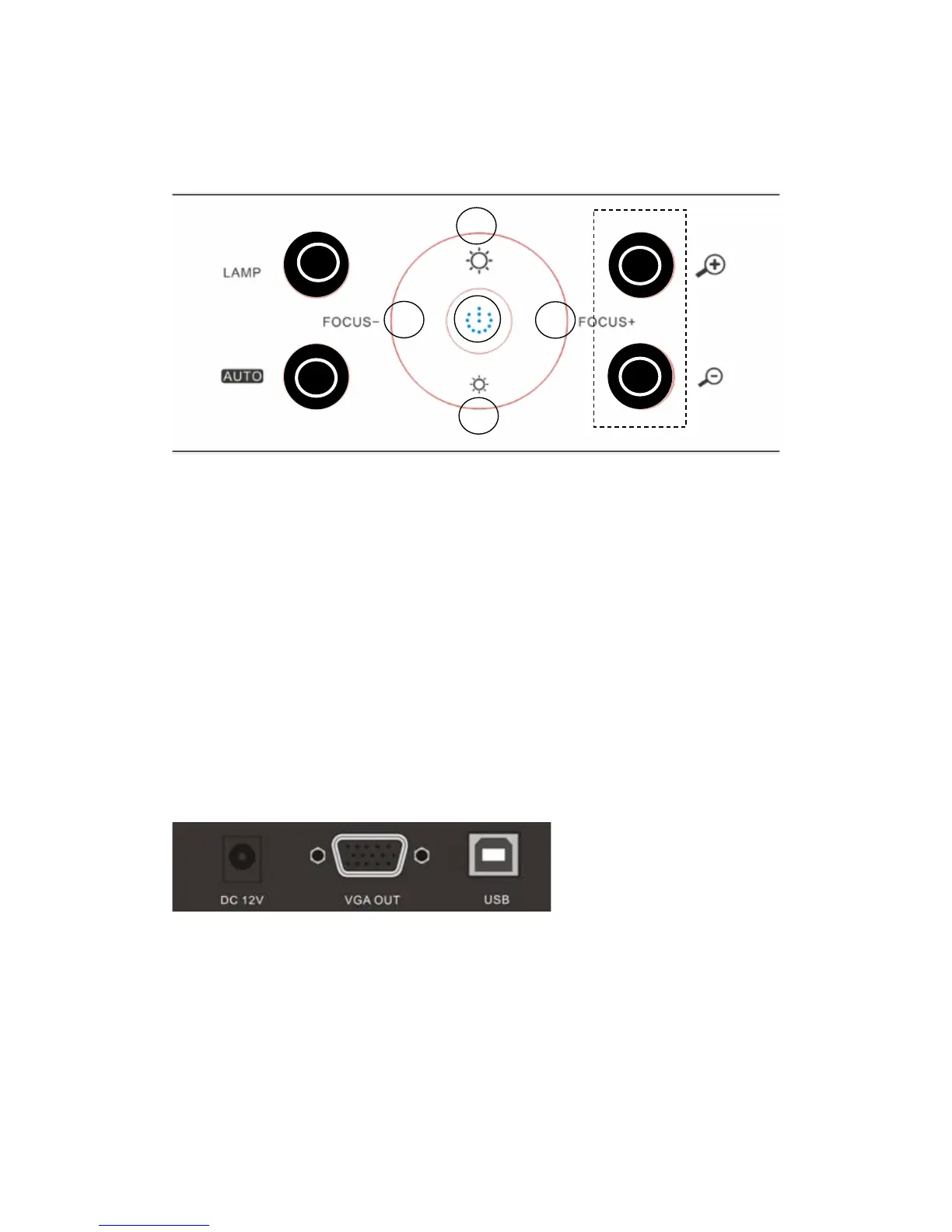
CONTROL PANEL
1. POWER: Turn on/off the power.
2. LAMP: Turn on/off the LED light.
3. AUTO: Perform auto focus, color adjustment and white balance.
4. FOCUS+/-: Adjust focus manually.
5. BRIGHT+/-: Image brightness control.
6. ZOOM+/-: Control image zoom in and zoom out.
3. INPUTS AND OUTPUTS
1. DC 12V: Power input.
2. VGA OUT: VGA (RGB) signal output (15 pin D-SUB).
3. USB: Capture image from connected computer with provided software.



 To Next Page