6
3. REMOTE CONTROL
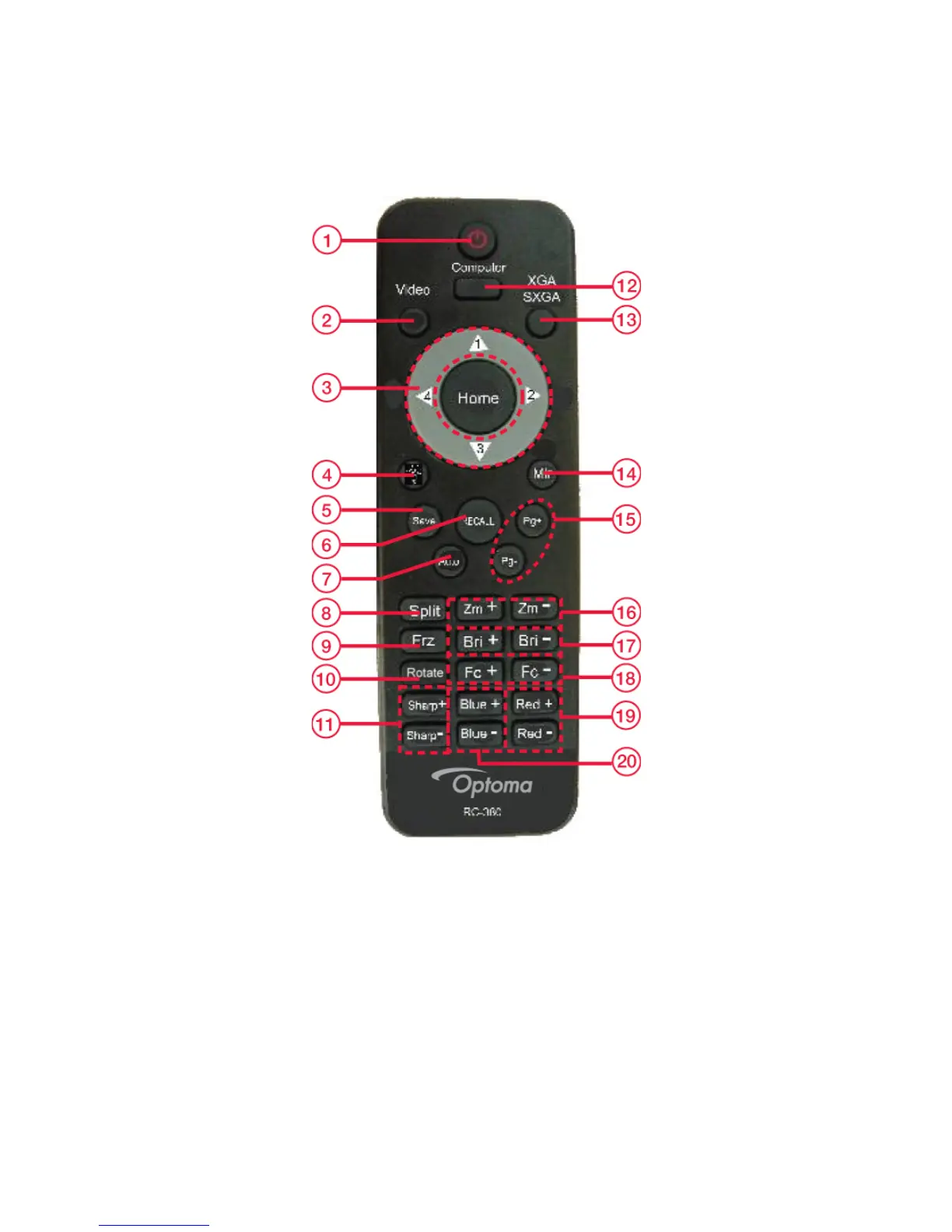
1. Power: Power document camera on and off
2. Video: Video mode
3. Home/Directional Key: Home button
4. Lamp: Turn LED light On/Off
5. Save: Capture the image in display
6. Recall: Image recall mode enabled, display the saved images
7. Auto: Perform auto focus, color adjustment and white balance
8. Split: Split screen enables the comparison between the frozen image and live image
9. Freeze: Freeze/unfreeze the image



 To Next Page