15
<
Auto-Configuration Network Setup>
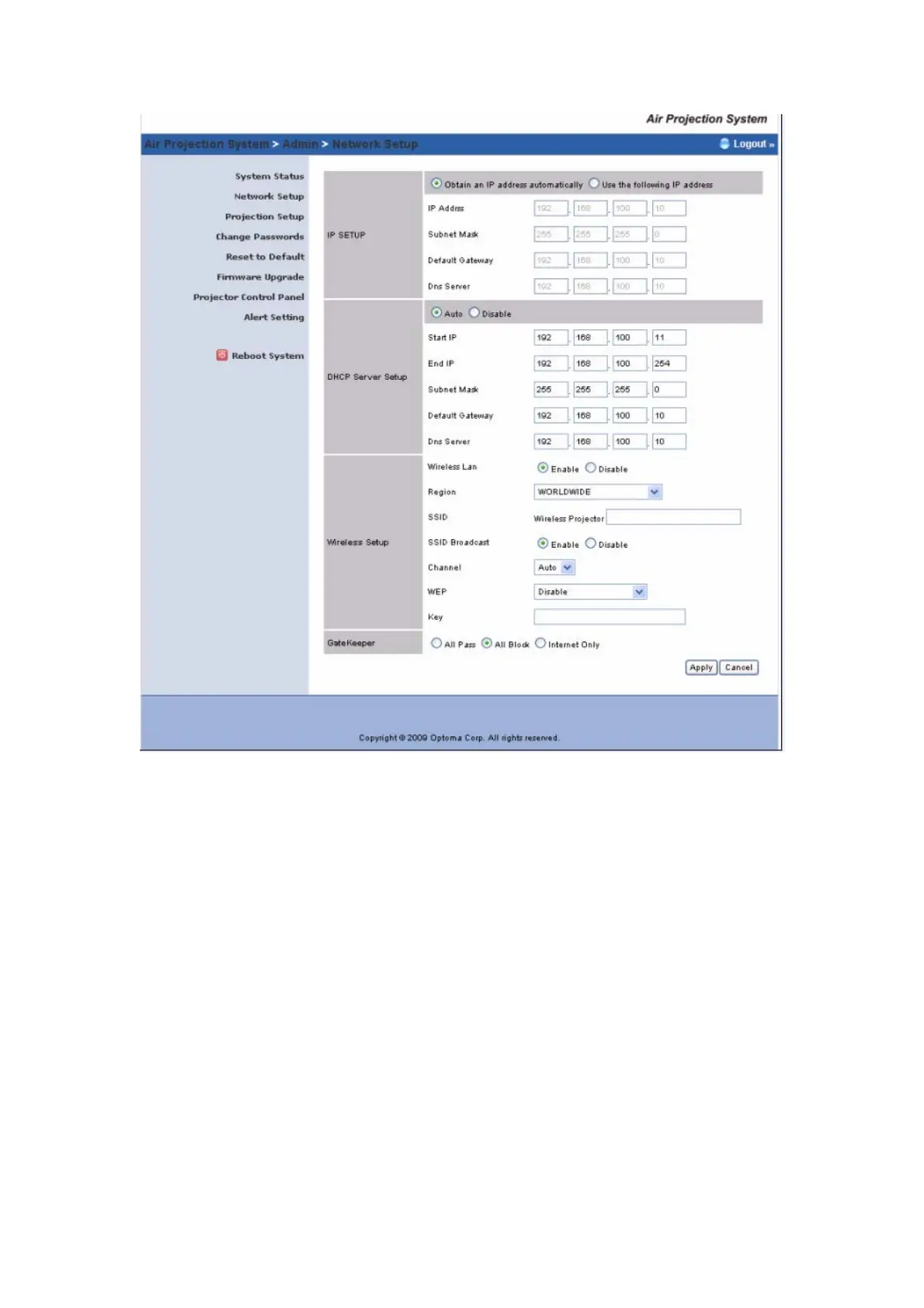
The default setting of the Wireless Projector box is DHCP client. When the
Wireless Projector box is connected to a LAN that already has a DHCP server
present, the Wireless Projector box takes an IP address assigned to it by the
server. When the Wireless Projector box is connected to a LAN that does not
have a DHCP server, the
Wireless Projector box becomes the DHCP server in
the network.
< IP Setup>
You can select “obtain IP address automatically” or “Use the following IP
address”
IP Address: The default value is 192.168.100.10.
Subnet Mask: The default value is 255.255.255.0
Default Gateway: The default value is 192.168.100.10
<DHCP Server Setup>
You can select “auto(Enable/Disable DHCP Server” or “Disable”)
Start IP: The start IP address of DHCP Server.



 To Next Page