17
5.4 Projection Setup
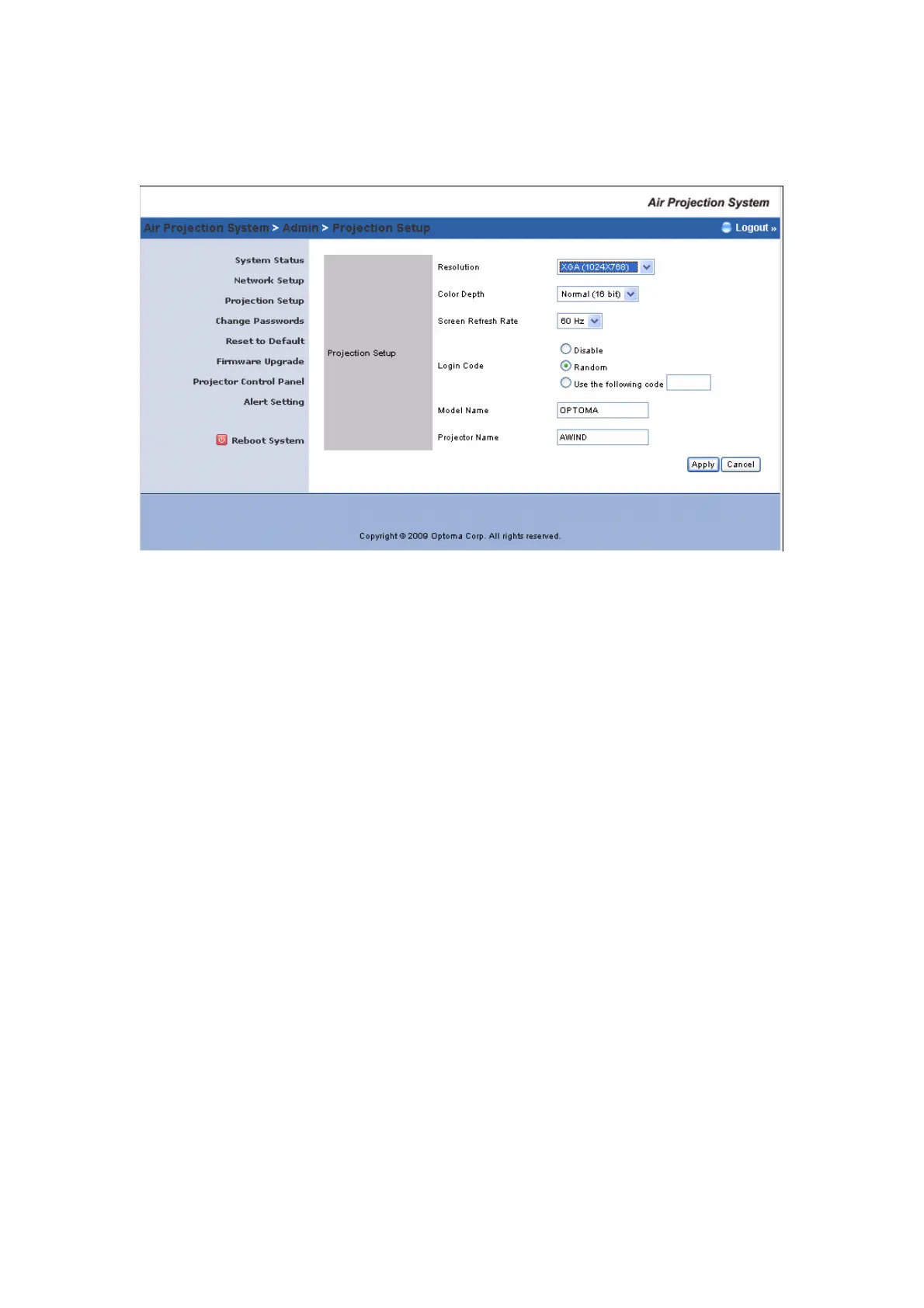
Click [Projection Setup] button
<Resolution>: 1024*768, 1280x768 and 800*600.
<Color Depth>: provide Wireless Projector output with 16bit or 32
bit color depth. It depends on your PC settings.
<Screen Refresh Rate>: This is VGA output refresh rate, provides
both 60 Hz and 75Hz.
<Login Code>: You can select “Disable”, “Random”, or “Use the
following code” to set a specific 4-digit number.
<Apply>:Confirm and Save modifications
<Cancel>: Cancel all the modifications



 To Next Page