31
“Presentation-to-Go” (*.PtG) files for use on mobile devices. The
installation wizard can be found on the User Manual CD.
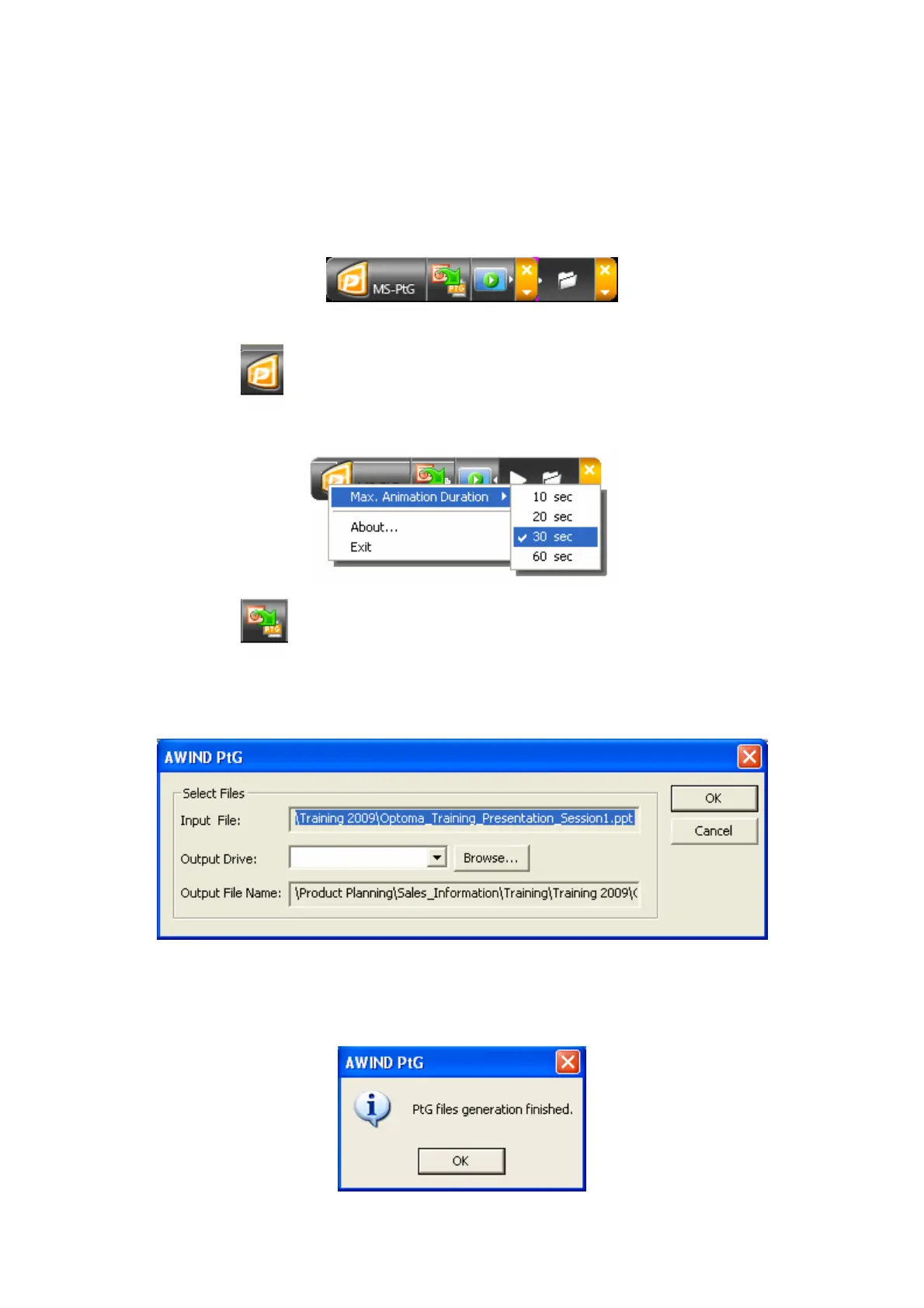
1) Once installed, launch the application and the following GUI will appear
2) Click to set the maximum duration of animations in the slideshow
(between 10 and 60 seconds), find out more about the software, or exit.
3) Click to select the PPt file you wish to convert to PtG.
4) Enter or browse for the desired output directory and filename, then
click OK.
5) The software will then convert your presentation into a single PtG file -
a progress bar is shown at the top of the screen. Once complete, the following
message will appear:


 To Next Page
 Loading...



