Delta Elec. Inc. EX779
Company Confidential Optoma__________________ Delta________________
53
2010/04/14
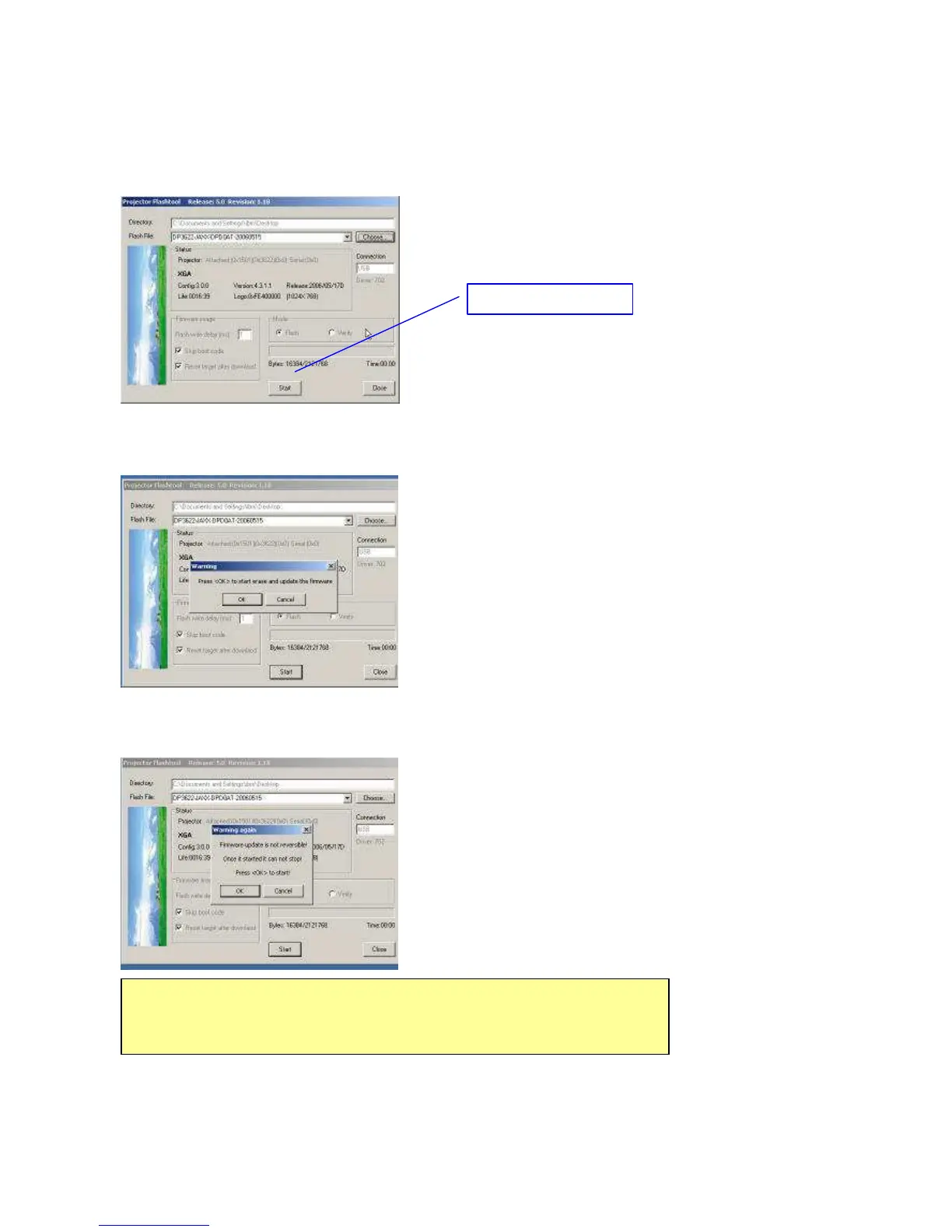
Step 5: The Flash-Tool will validate the signature of the binary image file for upgrading.
The “Start” button will not enable if the binary image is not a valid projector firmware.
Step 6: Press the “Start” button to update the flash with the chosen firmware.
A warning message box will appear for confirmation. Press <OK> to continue.
Step 7: The last warning message box appears, this is the last chance to stop the update.
Press “OK” button to start the firmware update.



 To Next Page