Delta Elec. Inc. EX779
Company Confidential Optoma__________________ Delta________________
58
2010/04/14
Step 3:
The System will be not under 1W condition before you programming flash updated.
Projector is in STAND BY mode.
Make sure the USB cable is firmly attached between projector and computer.
Press holds the <Left> keys and connects the power cord to the projector at same time,
The LAMP LED (Red) will blink one time and please make sure the system is not under 1W stay.
Press <Down>, <Up>, <Right>, <Up> keys in sequence using keypad buttons, or using the IR
remote controller for those with limited keypads.
The lamp LED (Red) will blink one time and the Flash-Tool mode will be enabled.
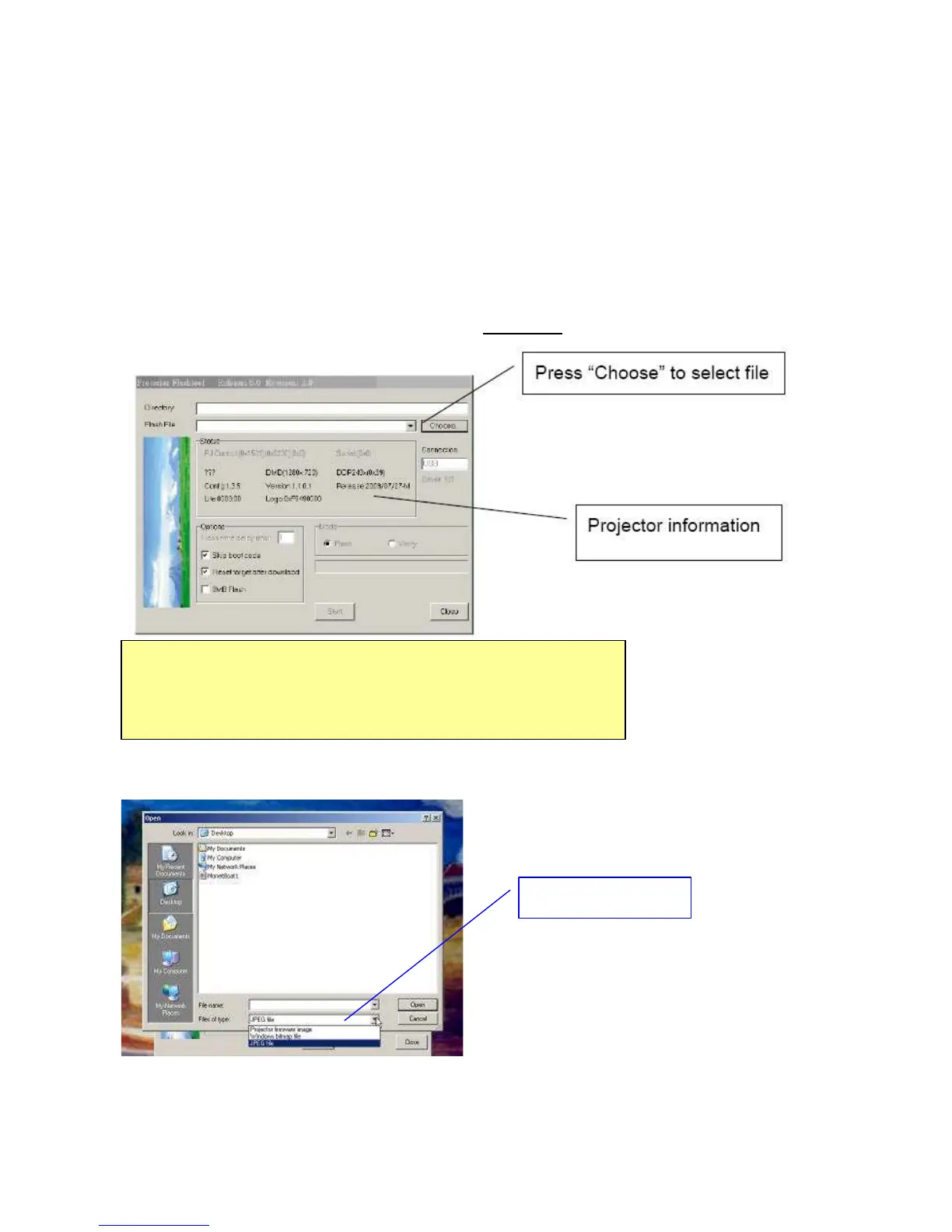
Step 4: Press the “Choose” button to locate the new splash logo.
Select the image type in either BMP or JPG in the “File of type” option.
Note:
The Windows hardware wizard will pop up if the USB device driver is not installed.
Simply select the recommended options, and let Windows Wizard does the trick.
BMP/JPG selection



 To Next Page