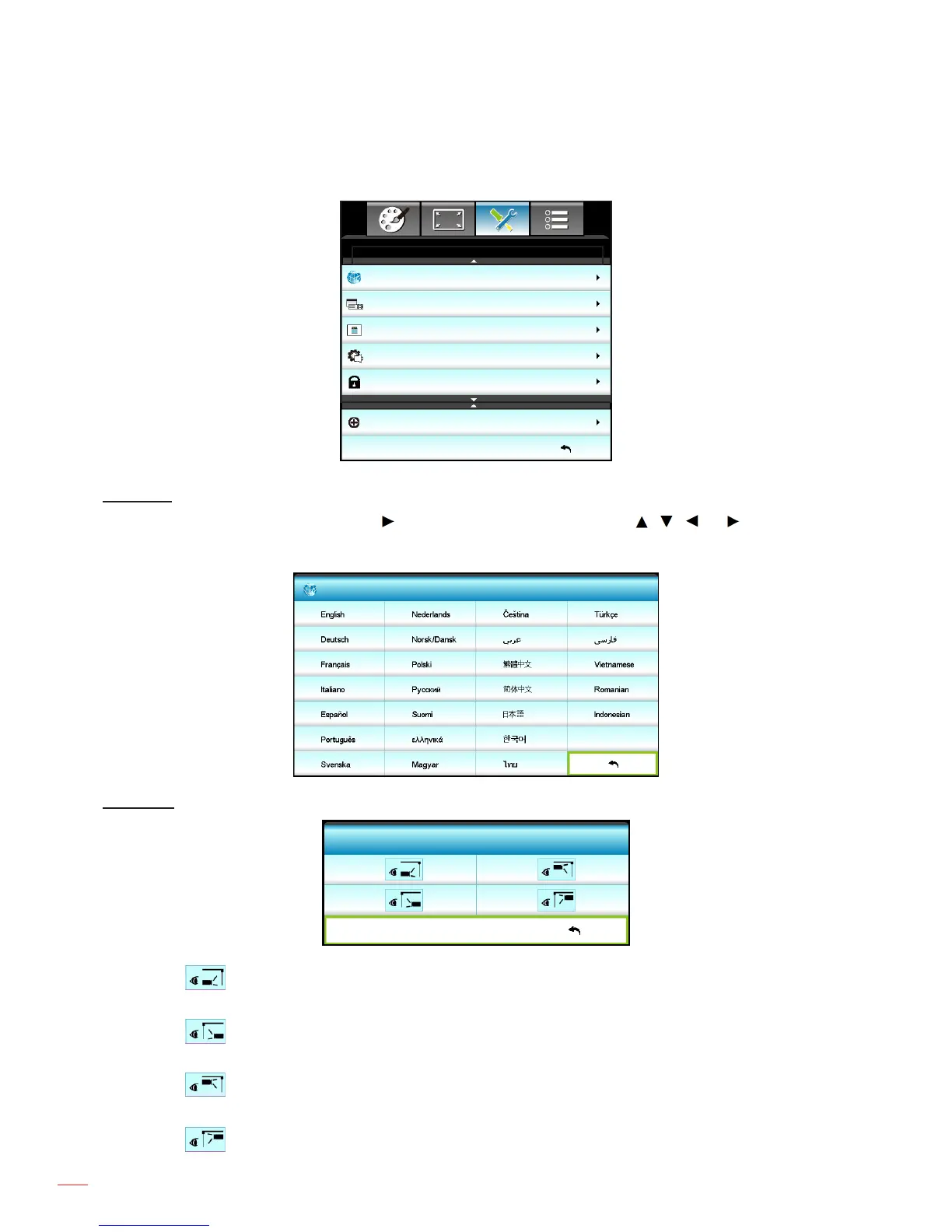
Setup menu
Language
SETUP
Exit
English
Projection
Menu Location
Security
Audio Settings
Advanced
Language
Choose the multilingual OSD menu. Press into the sub menu and then use the , , , or key to select
your preferred language. Press "Enter" to nalize the selection.
Language
Exit
Projection
Projection
Exit
Front
This is the default selection. The image is projected straight on the screen.
Rear
When selected, the image will appear reversed.
Front-Ceiling
When selected, the image will turn upside down.
Rear-Ceiling



 To Next Page