Condential
5-16
ML300
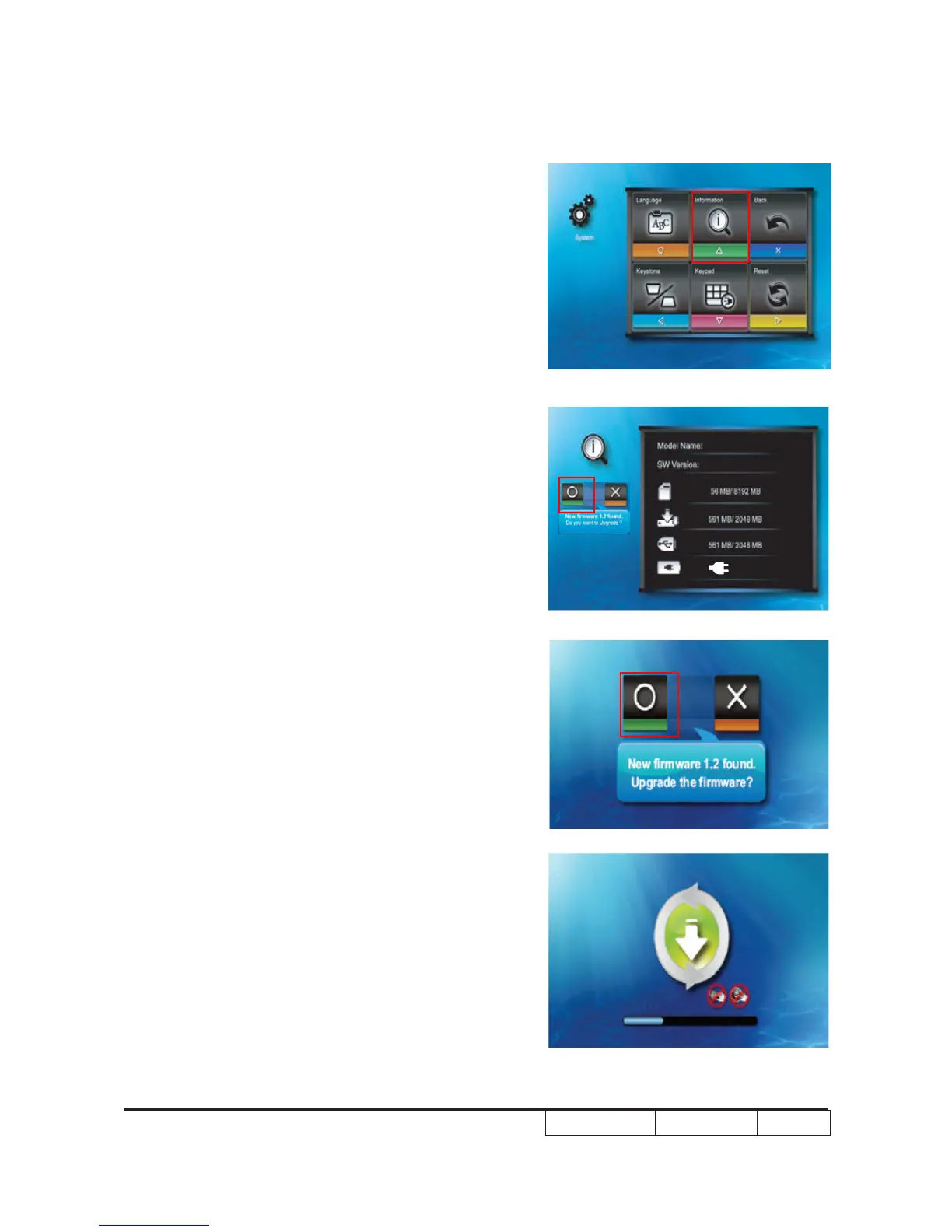
5. Select “Information”
6.Select “Firmware Upgrade” item
7.Choose “O” button to process the rmware
upgrade.
8. Firmware upgrade procedure image will
appear as the right picture shown.
Note:1.Do not touch any buttons or turn off
the projector while upgrading is in
progress.Otherwise, this may damage the
projector.
2.Do not remove the microSD card until the
upgrade is complete.



 To Next Page