English
15
SETUP AND INSTALLATION
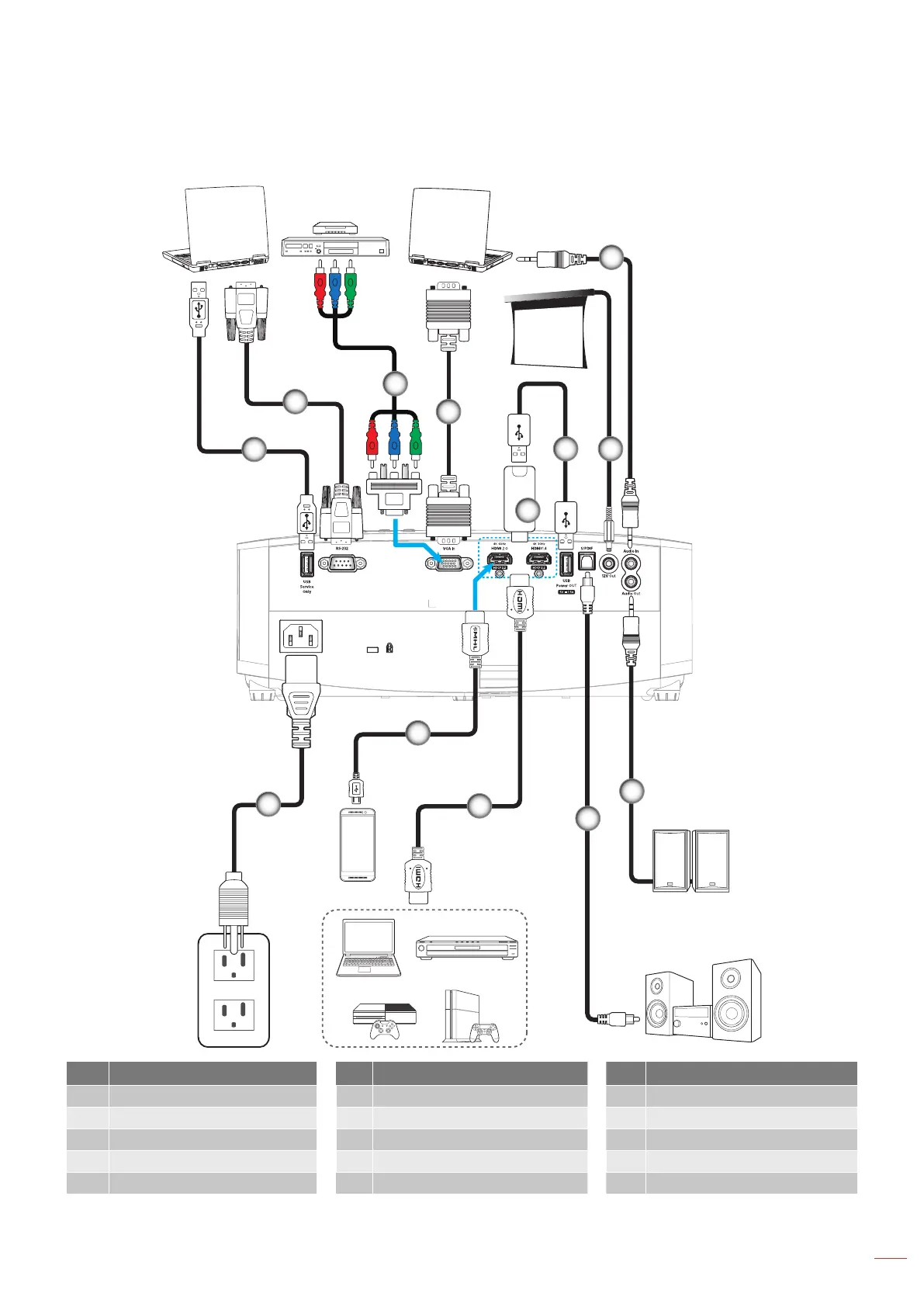
Connecting sources to the projector
MOLEX
MOLEX
1
8
2
3
4
5
6
10
11
12
7
9
13
No Item No Item No Item
1. USB Cable 6. USB Power Cable 11. HDMI Cable
2. RS-232 Cable 7. 12V DC Jack 12. MHL Cable
3. RCA Component Cable 8. Audio In Cable 13. Power Cord
4. VGA In Cable 9. Audio Out Cable
5. HDMI Dongle 10. S/PDIF Out Cable
Note: To ensure the best image quality and avoid connection errors, we recommend the use of High Speed or
Premium Certied HDMI cables up to 5 meters.


 To Next Page
 Loading...