
 Need help?
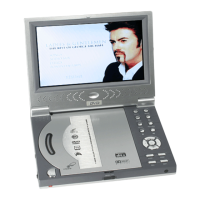
Do you have a question about the Orbit PTDVD-768S and is the answer not in the manual?
Defines MPEG4 as a video compression coding technology and its comparison to MPEG2.
Steps before operating the player, including power connection and volume adjustment.
Procedure for loading discs into the player and basic playback.
How to adjust brightness, color, and contrast on the TFT screen.
Instructions for playing, pausing, and resuming playback.
Using the OSD key to display disc information and navigating menus.
How to navigate titles, subtitles, and menus on DVD discs.
Understanding and using PBC interactive functions for VCD.
Using number keys to directly select and play topics or tracks from a disc.
Connecting and operating USB devices for media playback.
Instructions on how to play games using a joystick or connected USB devices.
Critical safety warnings regarding disassembly, electrical hazards, and repairs.
Guidelines for maintaining the player, avoiding damaged discs, and proper ventilation.
Instructions for charging, discharging, and storing the player's batteries.
Guide to playing JPEG images, adjusting orientation, and using zoom.
Connecting antenna, powering on, and switching to TV mode.
Procedure for automatically searching and saving TV channels.
How to configure and use the channel skip function.
Ways to access and display the main menu during playback.
How to adjust contrast, brightness, and color settings.
Accessing and navigating system settings like input and sound.
Using the preset menu for TV viewing, selecting various settings.
Configuring TV system, screen saver, aspect ratio, and other system settings.
Setting OSD, audio, subtitle, and menu languages.
Configuring audio output, echo, key, and down sample settings.
Adjusting brightness, contrast, hue, and saturation levels.
Configuring speaker modes, bass, and delay settings.
Setting operational mode, dynamic range, and dual mono.
Steps to resolve problems related to lack of audio output.
Troubleshooting steps for when the screen displays no image.
Solutions for the player not reading USB devices.
Resolving image distortion or color mismatch when connecting to TV.
Common reasons and solutions for discs not playing.
Steps to fix issues where the remote controller is not working.
Tips for improving TV signal quality and reception.
Information regarding TV system compatibility and channel support.
 General
| Brand | Orbit |
|---|---|
| Model | PTDVD-768S |
| Category | Portable DVD Player |
| Language | English |

 To Next Page