direction key up or down to choose PROG, SKIP, SWAP, AUTO,
MANUAL, FINE, BAND, you could use direction key left or right on
the player or the remote controller to adjust.
SETUP
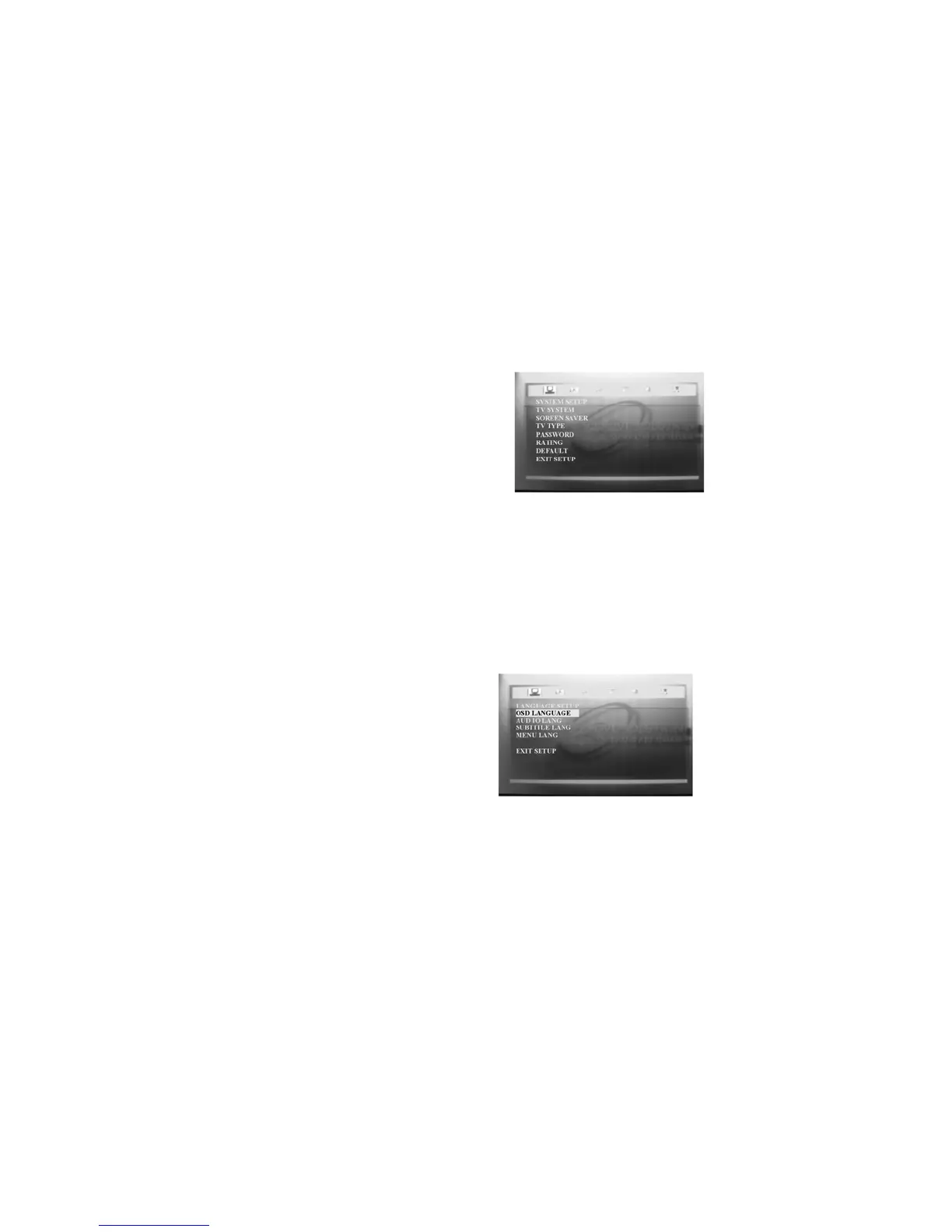
Press “SETUP” key on the remote controller to display SETUP menu,
press direction key” Left”, “Right” to choose the SETUP you want to
change. There are 6 kinds of SETUP, they are SYSTEM SETUP,
LANGUAGE SETUP, AUDIO SETUP, VIDEO SETUP, SPEAKER
SETUP, DIGITAL SETUP, the actual things are as the following:
SYSTEM SETUP
* TV SYSTEM, they are “NTSC”,
“PAL60”, “PAL” and “AUTO” 4 kinds
of system to choose.
* SCREEN SAVER: could choose ON
or OFF.
* TV TYPE: there are “4:3PS”, “4:3LB”,
“16:9” 3 kinds of ratio.
* Password: Default is 0000.
* Rating: could choose “NO ADULT”, “KID SAFE” and “VIEW
ALL”.
* Default: use this to reset to the status when going out of the factory,
could choose to restore.
LANGUAGE SETUP
* OSD LANGUAGE: could choose


 To Next Page