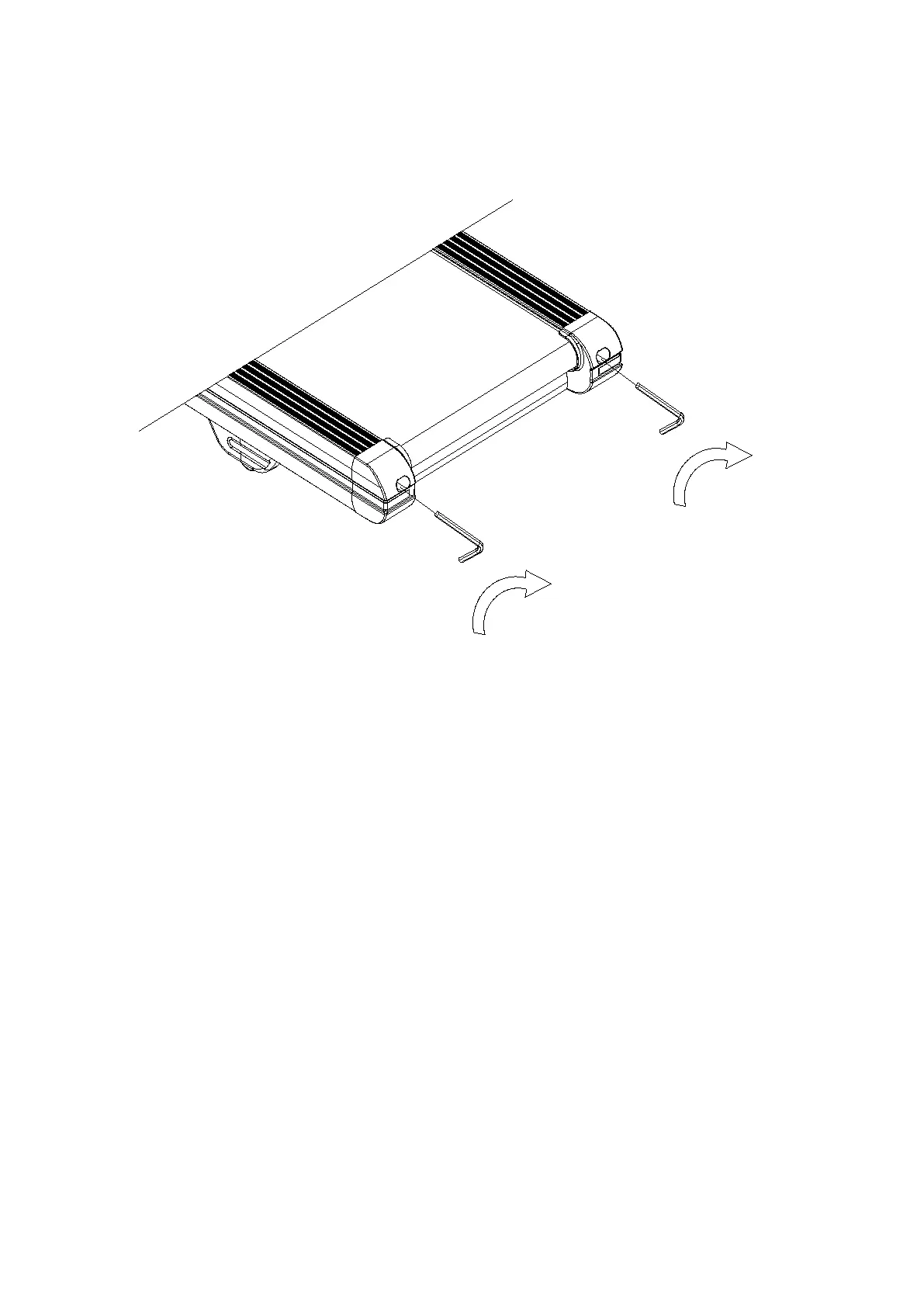
BELT ADJUSTMENT
Place treadmill on a level surface. Make treadmill run at approximately 6-8 km/h, observe the running belt
deviate condition.
If the belt has drifted to the right, unplug the safety lock and power switch, and turn the rightadjusting bolt
1/4 turn clockwise, then insert the power switch and safety lock, make the treadmillrunning, observe the
running belt deviate condition.
Repeat above steps until the running belt be placed in the middle.
Once the treadmill belt swerving to the left, unplug the safety lock, turn off the power, then with the
left adjusting bolt clockwise rotation 1 / 4 laps, and turn on the safety lock and power to make treadmill
running, checking the deviation of the treadmill belt. Repeat the above
Steps until belt is centered.
The treadmill belt will gradually relax after above steps or after a period of time using, unplug the safety
lock, and turn off the power, with the two adjusting bolt clockwise rotation 1 / 4 laps, and turn on the
safety lock and power to make treadmill running, then standing on the belt to confirm the tightness.
Repeat the above steps until the belt moderate tightness.
31



 To Next Page