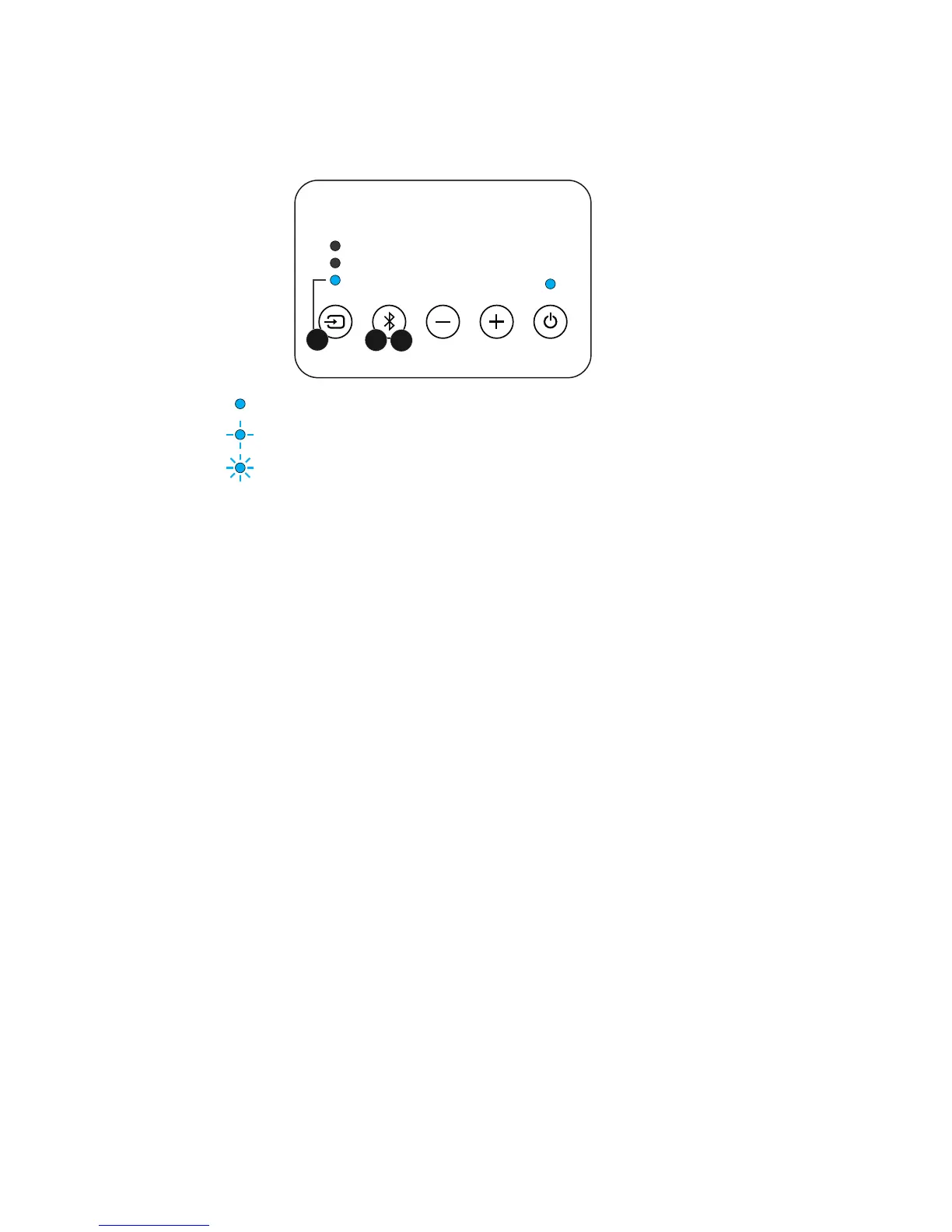
Fast ash blue light: In pairing mode
1. Press to select Bluetooth sound source. The Bluetooth source light will show
the status of the Bluetooth connection.
2. To pair a new device: Press and hold the Bluetooth pairing button for 3
seconds. The Bluetooth source light will flash quickly to show that pairing mode
has started. Look on your device for ‘Orbitsound’ in the Bluetooth device list,
and pair with it. When a device is paired, the soundbar Bluetooth source light
will change to solid blue.
3. If your device was previously paired, then you can short press the Bluetooth
button to ‘grab’ the device and resume playback.
Note: If you are asked for a PIN number, enter ‘0000’.
AUX input
The Jack and RCA inputs (AUX) input can be heard by choosing ‘AUX’ on the
control panel.
Hint: The RCA inputs and jack (3.5mm) inputs mix, so more than once external
device can be connected. The soundbar will mix the 2 sources together.


 To Next Page