Removing and installing front cover
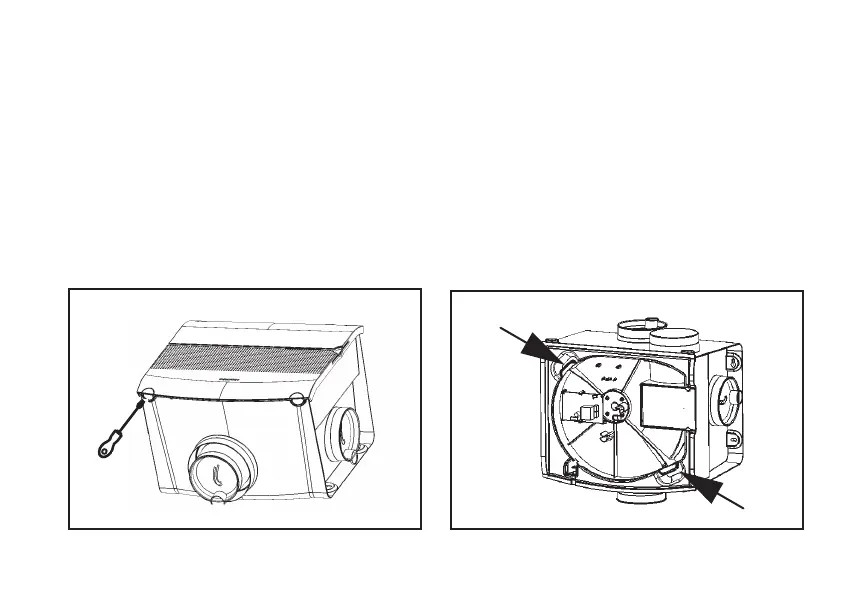
Remove the plug from the wall socket. Open the front cover
of the device with a athead screwdriver (g. 9), after which
the front cover can be detached. The wiring, motor and
the receiver PCB with the humidity sensor on the back are
located behind this cover.
Removing and installing motor plate
After the front cover has been removed, the motor plate can
be lifted out with the two handles (arrows g. 10). You can
now easily inspect or clean the motor and humidity sensor.
Avoid imbalances by removing all dirt from the impeller.
Fig. 10 Remove motor plate Fig. 9 Open MVS-15 front cover
13


 To Next Page