Page
09
Operation Controls
and Functions
No. Name Function Description
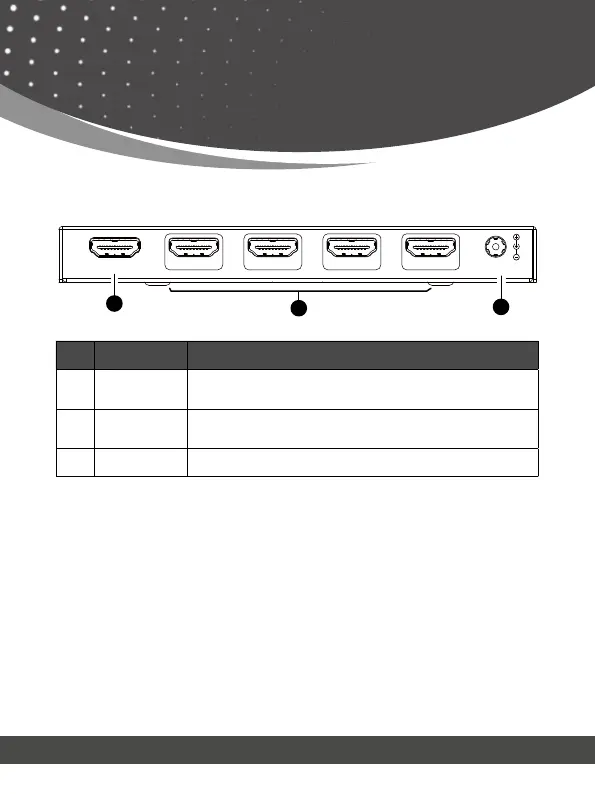
6. IN port
Connect a media device such as a DVD Player, set-top
box, etc.
7.
OUT port
(1~4)
Connect a display device such as a TV or Monitor.
8. DC 5V DC 5V/2A power input port.
Rear Panel
Auto Downscaling & Auto Converting
DC 5V
OUT 1 OUT 2 OUT 3 OUT 4
IN
7
6
8
The BK-104 supports auto downscaling and auto converting on
all outputs. Before downscaling it will compare all the EDID of the
connected display devices and select the minimum resolution to
downscale and output. For example:



 To Next Page