Hard Disk Access
Take Windows as an Example
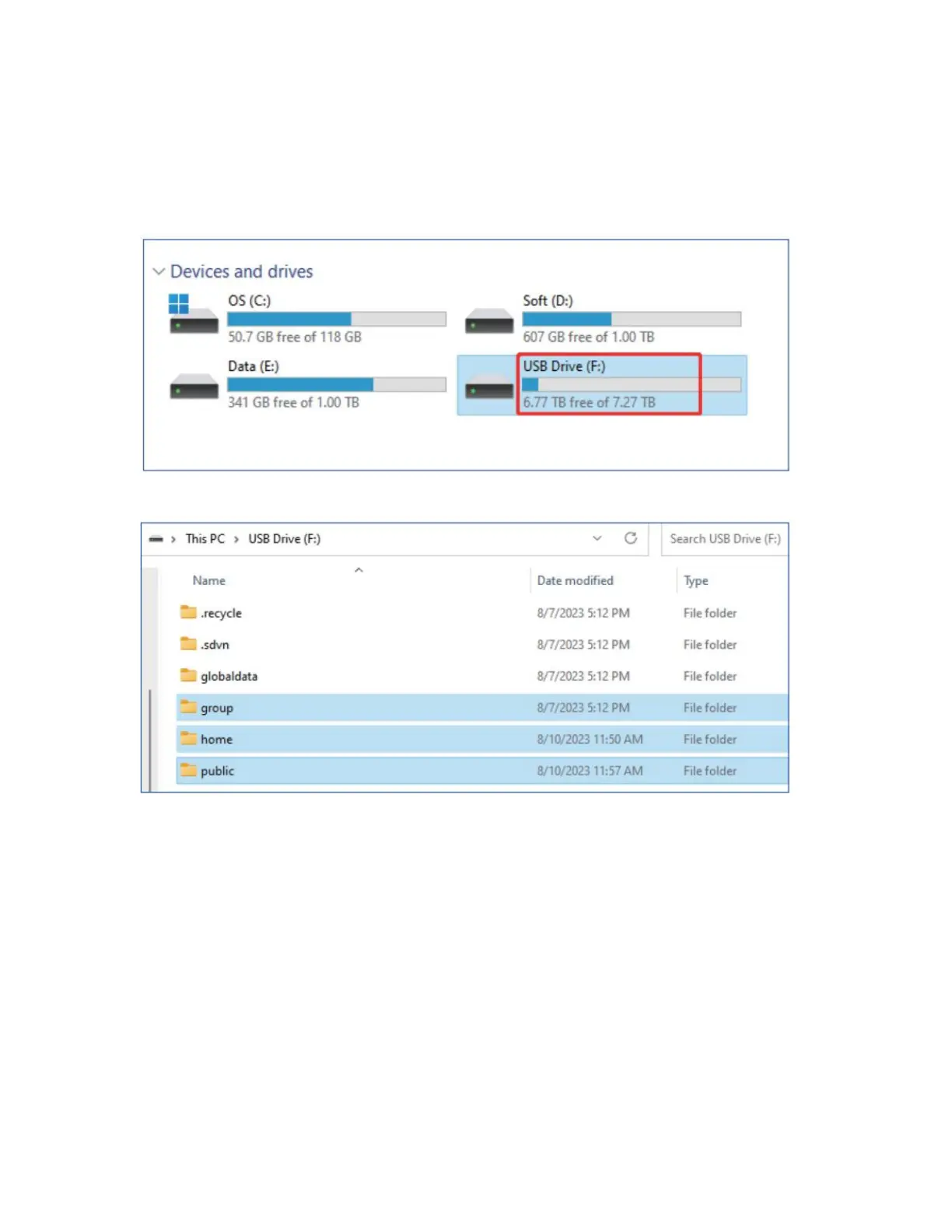
1. Open Windows Explorer and find the drive letters of the read hard drive.
2. Click the drive letter, and you can see the folders in the root directory.
Note:
In the mobile hard disk mode, data needs to be stored in accordance with the default
folder path of NAS system. Otherwise, when switching to the network working mode,
the data accessed through the APP cannot be displayed.
Explanation of the default folder directories:
"Group" represents the group space directory, where files should be saved under the
subdirectory of the group folder.



 To Next Page