BTP-R580 USER MANUAL
- 22 -
Caution:
Cash drawer interface can be connected only with a cash
drawer device (Do not connect a telephone line and so on).
4.6 Paper roll loading
4.6.1 Confirm the paper type
After connecting of the printer to the mains voltage, with the host
and, if applicable, to the cash drawer, the paper can be loaded and
printed.
4.6.2 Load/replace a paper roll
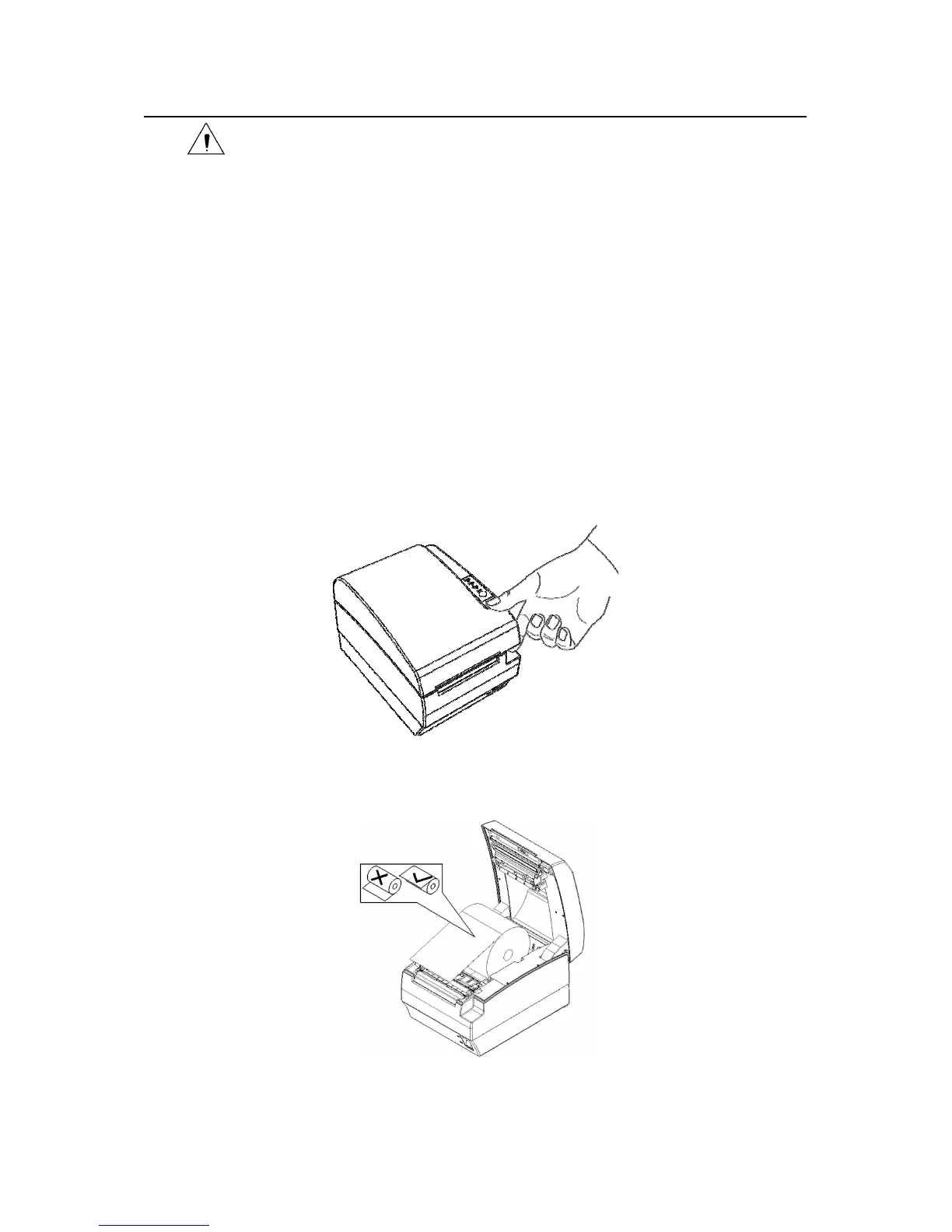
1) Press the latch of the top cover and open it.
Fig. 4.6.2-1 Opening top cover
2) Place a paper roll in the paper holder as shown the Fig. 4.6.2-2.
Fig. 4.6.2-2 Paper roll load


 To Next Page