EasyManua.ls Logo

Orion XTREME 3752 - Page 9

Orion XTREME 3752
24 pages
Print Icon
To Next Page IconTo Next Page
To Previous Page IconTo Previous Page
Loading...
FINE
TUNING
THE
LOW-PASS
CROSSOVER
600HZ
\
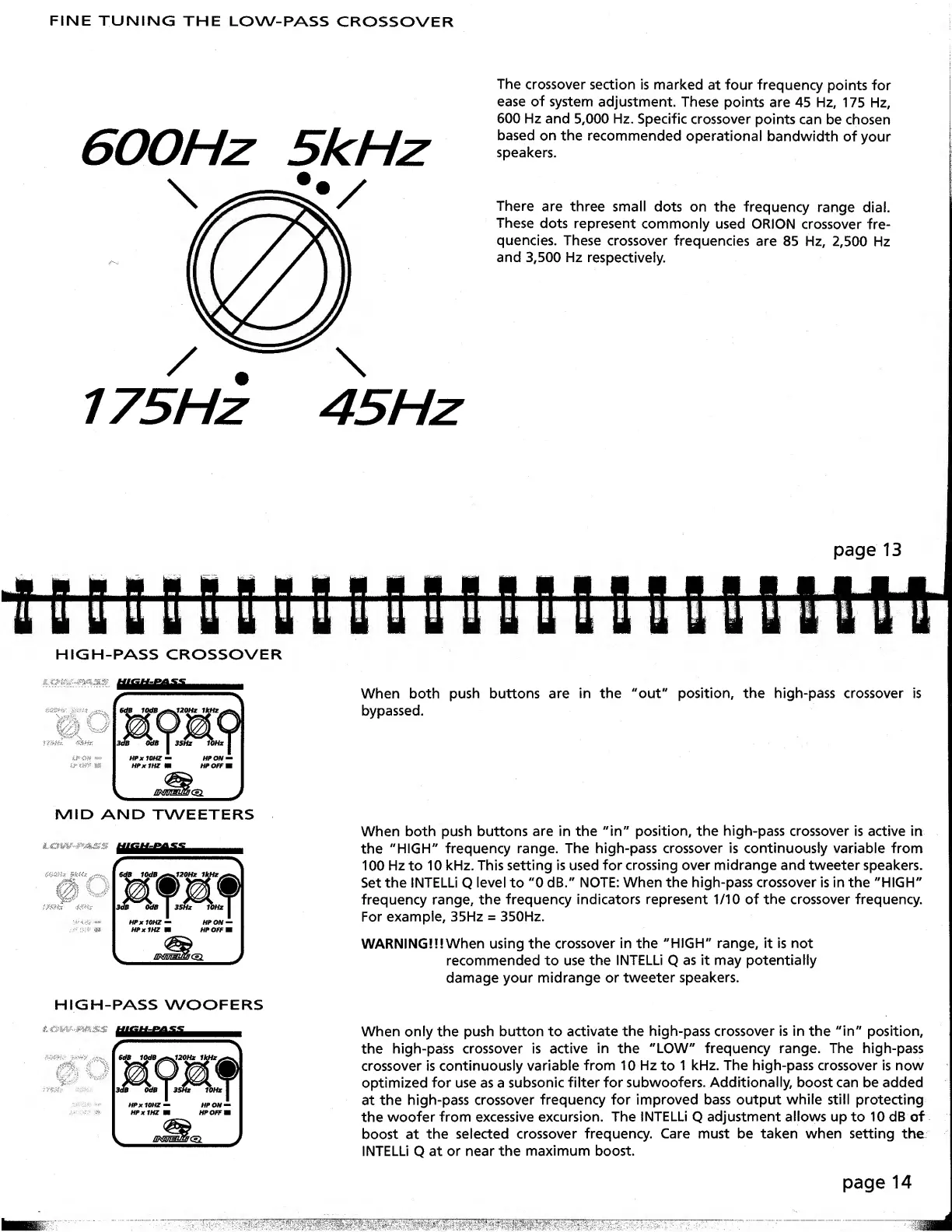
The
crossover
section
is
marked
at
four
frequency
points
for
ease
of
system
adjustment.
These
points
are
45
Hz,
175
Hz,
600
Hz
and
5,000
Hz.
Specific
crossover
points
can
be
chosen
based
on
the
recommended
operational
bandwidth
of
your
speakers.
There
are
three
small
dots
on
the
frequency
range
dial.
These
dots
represent
commonly
used
ORION
crossover
fre¬
quencies.
These
crossover
frequencies
are
85
Hz,
2,500
Hz
and
3,500
Hz
respectively.
page
13
HIGH-PASS
CROSSOVER
MID
AND
TWEETERS
EBBllllul
When
both
push
buttons
are
in
the
"out"
position,
the
high-pass
crossover
is
bypassed.
When
both
push
buttons
are
in
the
"in"
position,
the
high-pass
crossover
is
active
in
the
"HIGH"
frequency
range.
The
high-pass
crossover
is
continuously
variable
from
100
Hz
to
10
kHz.
This
setting
is
used
for
crossing
over
midrange
and
tweeter
speakers.
Set
the
INTELLi
Q
level
to
"0
dB."
NOTE:
When
the
high-pass
crossover
is
in
the
"HIGH"
frequency
range,
the
frequency
indicators
represent
1/10
of
the
crossover
frequency.
For
example,
35Hz
=
350Hz.
WARNING!!!When
using
the
crossover
in
the
"HIGH"
range,
it
is
not
recommended
to
use
the
INTELLi
Q
as
it
may
potentially
damage
your
midrange
or
tweeter
speakers.
When
only
the
push
button
to
activate
the
high-pass
crossover
is
in
the
"in"
position,
the
high-pass
crossover
is
active
in
the
"LOW"
frequency
range.
The
high-pass
crossover
is
continuously
variable
from
10
Hz
to
1
kHz.
The
high-pass
crossover
is
now
optimized
for
use
as
a
subsonic
filter
for
subwoofers.
Additionally,
boost
can
be
added
at
the
high-pass
crossover
frequency
for
improved
bass
output
while
still
protecting
the
woofer
from
excessive
excursion.
The
INTELLi
Q
adjustment
allows
up
to
10
dB
of
boost
at
the
selected
crossover
frequency.
Care
must
be
taken
when
setting
the
INTELLi
Q
at
or
near
the
maximum
boost.
page
14

Related product manuals