Start to Play the Drum
1. Selecting Voice
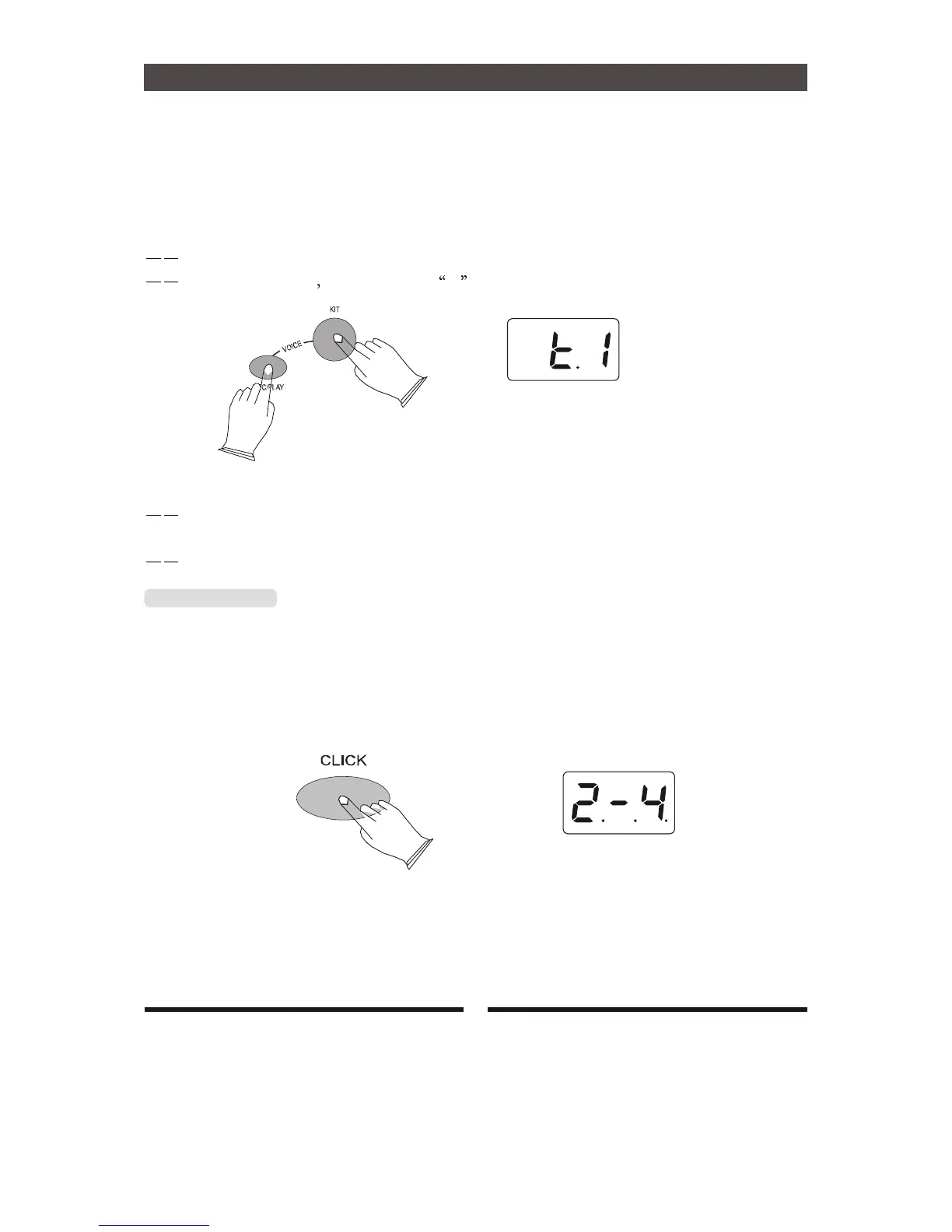
Press [KIT] button and [REC/PLAY] button,then hit the pad , use [+] [-] to select the Voice .
For example:to select TOM1 voice.
Press [KIT] button and [REC/PLAY] button,LED displays current drum number .
then hit the TOM1 LED displays t1 ,then LED displays TOM1 instrment .
hit the pad go on or use [+] [-] to select the Voice.In this mode you also can press
[CLICK] button to listen to the voice, press [REC/PLAY] button to Deposited in user kit.
Press the other button to exit the voice.
[CLICK] Button
Press [CLICK] button to turn on or turn off metronome.
a. Click Type
Press [CLICK] button 2 seconds to enter the metronome type choice,use [+] [-] to select click type:
1/4, 2/4, 3/4, 4/4, 6/4, 3/8, 6/8, 12/8. default: 4/4
10


 To Next Page