Start to Play the Drum
[SONG] Button
Your drum provides 10 preset songs and 1 Demo.
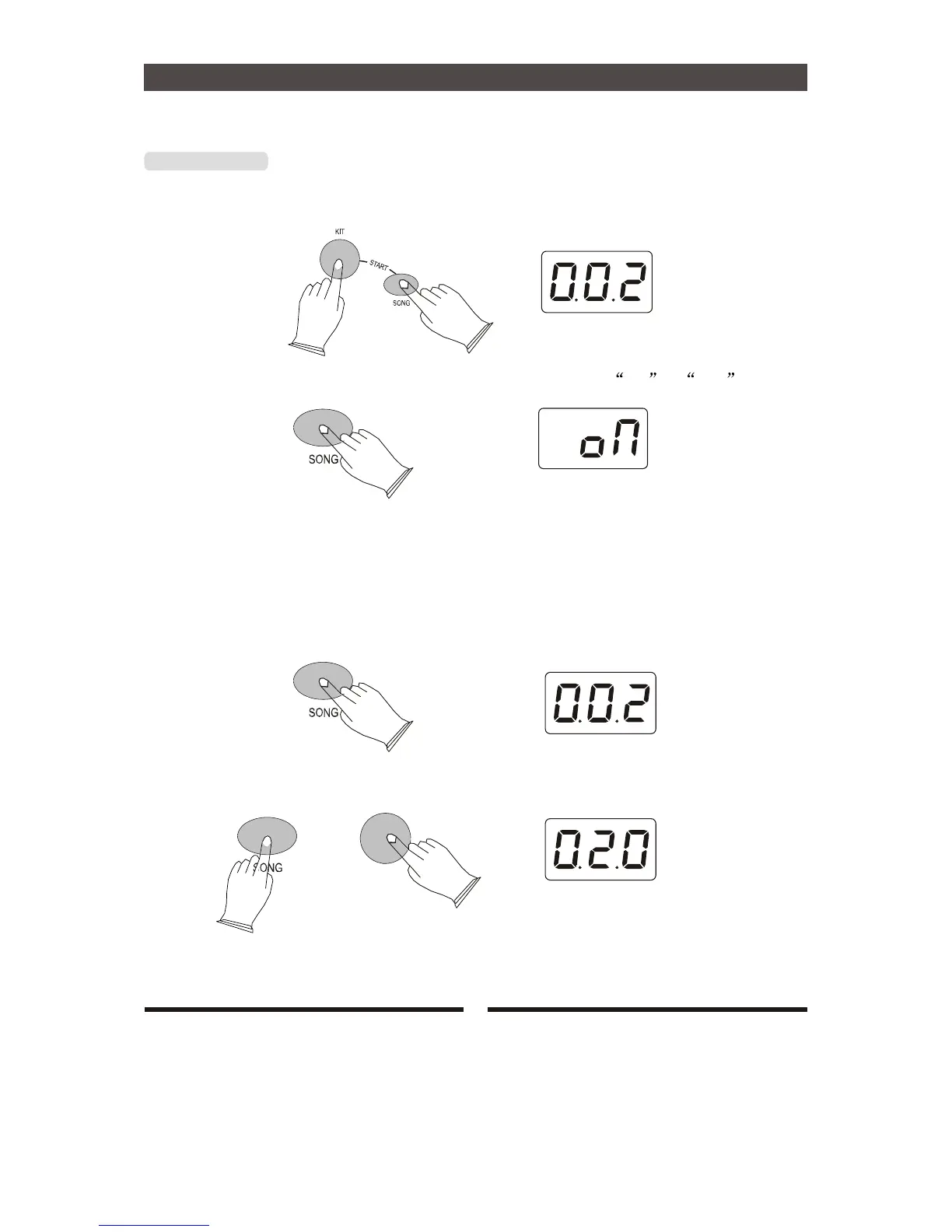
Press [SONG] and [KIT] button to start or stop the song.
a.Drum On/Off
In [SONG] mode, press [SONG] button 2 seconds, LED displays oN or oFF
On------turn on the percussion track of the song.
Off------turn off the percussion track of the song.
b.Select the songs
Press [SONG] button,then use [+] or [-] to select 10 songs and 1 demo.
c.Song volume
In [SONG] mode, press [SONG] button and use [+] or [-] to adjust the song volume.
Range:000-032.
-
12


 To Next Page