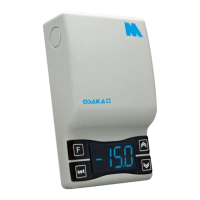
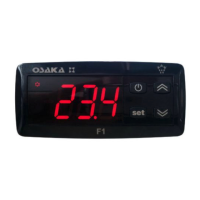
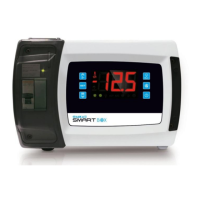
OSAKA - F 100 / TSF 100 / M1 - Manual de Usuario – V2.1 - PAG. 2
1 - Key “SET”: Pressing and releasing, programming control value
(Set point). Keeping for 5 seconds, the setup menu entry.
2 - DOWN Key: Pressing directly without entering the menu, serves
to decrease the value of the SET POINT. On the menu parameters
used to search the desired parameter and after pressing the
selection parameter "SET" serves to diminish or select the new
value of the parameter.
3 - UP / DEFROST Key: Holding down for 5 seconds to start a
manual defrost (if the conditions of end defrost probe has no value
beyond the end of defrost).
In the parameter menu is used to find the desired parameter and
after pressing the selection parameter "SET" serves to increase or
select the new value of the parameter.
4 - Key / "F": It is possible to perform 3 functions:
a) Shows the value of the evaporator probe, or the third probe (in
the case of being programmed).
b) Pressing for 1 second can power cycle the device (ON / OFF),
programming the "UF" parameter.
c) Exit Parameter Programming
5 - Led SET: Indication shown in the programming mode the set
point. In the parameter menu, indicates the level of programming
said parameter.
6 - Led OUT COOL: Indicates the status of the control output
(compressor or control device temperature, solenoid actuator, etc..)
This output is active (lit) and off (off) and disabled signal (flashing).
7 - Led OUT HEAT: Identical to "Led OUT COOL", but for the heat
function.
8 - Led DEF: Indicates the current status of defrost, Pilot flashing
indicates defrosting is being done.
9 - Led ALARM: Indicates the status of the alarm. ON (lit) OFF
(stopped) or Ongoing (intermittent)
10 - Led Stand-By: Indicates he's Stand-By
(Press Key or "F" for 3 seconds to activate or digital input).
2.1 - MODIFICATION OF SET POINT
Press the "SET" key and release, the display will show "SP"
alternating control value.
To change the value, press "up" to increase value and "down" to
descend.
If "Up or Down" key is held quickly increase speed to help select a
distant value.
After selecting the desired value is confirmed by pressing "SET" or
self confirm whether any last key pressed 10 seconds, turning the
thermostat to normal operation.
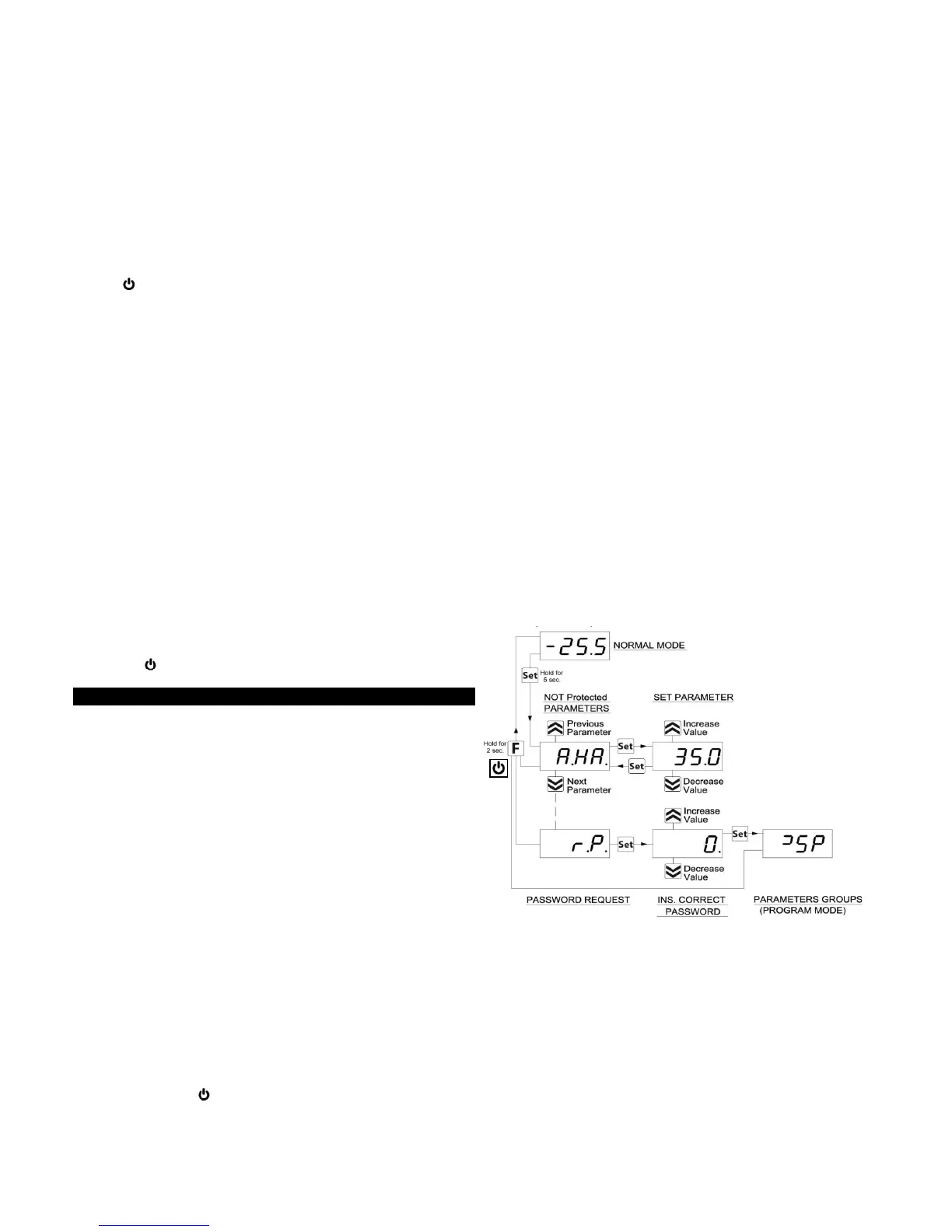
2.2 - PROGRAMMING PARAMETERS
If the Password parameter access is not enabled (default setting),
press "SET" for 5 sec., The display will show the code that
identifies the first parameter and the "Up" or "Down" button you
can select the desired parameter.
After selecting the desired parameter, press the "SET" key and the
value will be programmed to the desired parameter. This setting
can be changed by pressing the "Up" or "Down" to the desired
value. Press "SET" to confirm and store the value.
Returning to the "Up" or "Down" keys again be possible to select
another parameter and modify it on.
To exit the programming mode: do not touch any key for 10
seconds or press the or "F" key for 2 sec.
2.3 - PASSWORD PROTECTION PARAMETERS
The instrument has a parameter protection function with
configurable password code in the "t, PP" parameter.
In some cases, this password is very useful so that no improper
handling in, if you want to change the password once entered the
desired number and password in the "t, PP" parameter, Exit
programming.
When the password is programmed, pressing "Set" for 5 seconds
to enter the settings menu, the computer displays the acronym 'rP"
and pressing "Set" show "O", then we select the buttons "up" or
"down" the value of correct password code and press "set" to
proceed to access the programming parameters.
If the password is correct, the display will show the code of the first
parameter. The password protection can be disabled with the
"t.PP" = oF parameter.
Note: If lost the password to access the parameters, use the
following procedure:
Turn off electrical power to the computer and re-feeding while you
press the "SET" button for 5 seconds. Access parameters will be
taken and you could modify the "t.PP" parameter.
2.4 CUSTOMIZING SETTINGS
The password protects with just a few other parameters without
password in order to let the user access to the parameters
required, while access to all parameters that are specific technical
or machine manufacturer.
Method to select the level of programming parameters:
Access programming through password and select the parameter
to be programmed without password. If the SET LED flashes
means that the parameter is programmable only with the password,
or protected, and if the LED is fixed indicates that the parameter is
direct access without password.
To change the level of visibility of the parameter press together "Up
+ Set" keys.
The SET LED will change state in indicating the new access level
parameter (protected, flashing LED) and (direct access without
password, fixed LED).
Upon entering the first parameter menu visualize user level
parameters (unprotected) and then (protected) by entering the
password if the device shows "rP"
2.5 – RESTORATION INITIAL PARAMETERS
The device has a parameter reset, restoring the program to Factory
Settings.
To enter this Reset "rP" the password value to “- 48“
The display will show "---" and the instrument will reset.
2.6 - KEY LOCK FUNCTION
It is possible to completely lock the keys. Such a function is useful
when the control is accessible to the public and you want to prevent
tampering. The key lock function is activated by setting the "t.Lo"
parameter to a value of OF.
The value set in par. "T.Lo" is the time that the thermostat allows
access to the keyboard and after passing this time the thermostat
is locked.


 To Next Page
 Loading...