OSAKA - F 200 / F 300 / TSF 200 / TSF 300 / M3 - User Manual - V.2 - PAG. 2
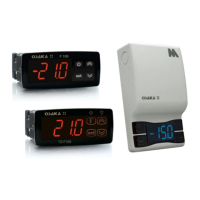
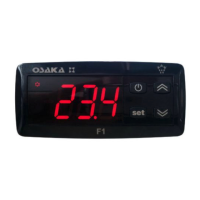
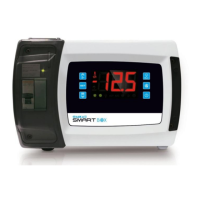
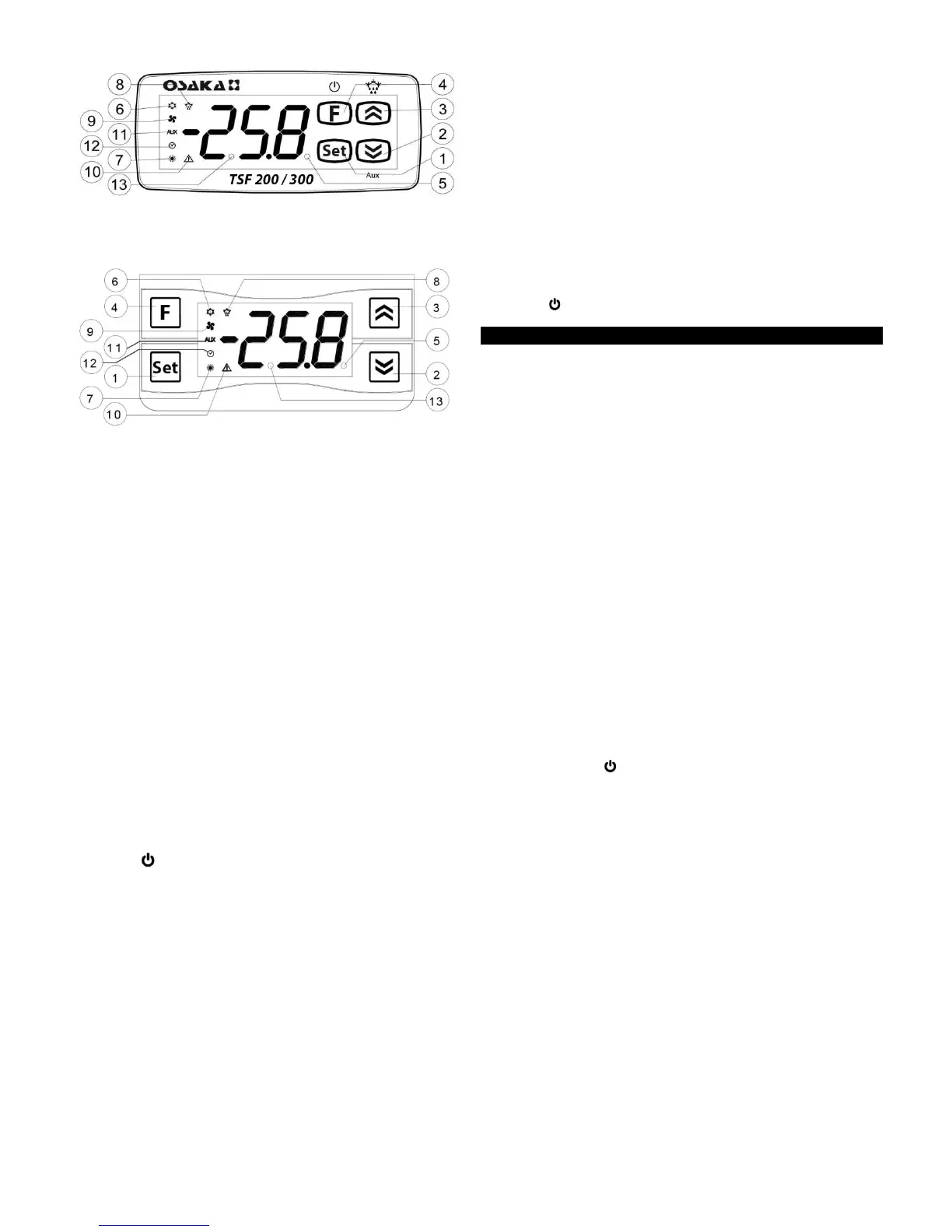
Front Panel TSF 200 / 300
Front Panel M3
1 – Key SET : Pressing and releasing quickly access the change
set point.
Press for 5 seconds to enter the programming mode parameter.
This mode is used to edit the parameters and to confirm the value.
It can be used together with the UP key to change the level of
programming parameters.
Pressing together with the UP button for 5 seconds when the auto
keypad lock is active, the keypad automatically unlocks.
2 – Key DOWN / Aux : In the programming mode is used to
decrease the value of the parameter to be programmed and the
selection of parameters.
If "t.Fb" is programmed parameter allows pressing for 1 second (in
the normal operating mode) allows some functions as selecting the
ECO mode, activating the Aux output, etc.. (See Operating DOWN
key).
3 – Key UP / DEFROST : In normal operating mode by pressing for
5 seconds to enable / disable a manual defrost cycle.
In the programming mode is used to increase the value of the
parameter to be programmed and the selection of parameters.
Always in programming mode can be used with the SET button to
change the level of programming parameters.
Pressing together with the SET button for 5 seconds when the
keyboard is active, to unlock the keyboard.
4 - Key “ ” or “F” : Pressing and releasing quickly, allowing the
device to display their variables (temperature measurement, etc.).
In the programming mode is used to exit the settings and return to
normal operation.
If "t.UF" is programmed, allows pressing for 1 second (in the
normal operating mode), On / Off (Stand-by) or other control
functions, including activating the Aux output, etc.. (See operation
ON / OFF key).
5 - Led SET : In normal operating mode is on when a key is
pressed, as indicative that has been pressed down.
In the programming mode is used to indicate the level of
programming parameters.
6 - Led OUTPUT - COLD : Indicates the status of the regulation
output (compressor or control device temperature); output enabled
(on), off (off), inhibited (flashing).
7 - Led OUTPUT - HEAT : Indicates the status of the regulation
output (resistance or device temperature control) when the action
of regulation is heating; output enabled (on), off (off), inhibited
(flashing).
8 - Led DEFROST : Indicates the state of current defrost or
dripping state (flashing).
9 - Led FAN : Indicates the output status evaporator fan. Enabled
(On), disabled (off), inhibited (flashing).
10 - Led ALARM : Indicates the alarm status. Enables (on), off
(off), delayed or memorized (flashing).
11 - Led AUX : Indicates the status of the Auxiliary output.
12 - Led CLOCK : Indicates that the internal clock is active. If you
are in slow flashing indicates an error of the time (clock chip does
not work). If the flashing is quick indicates that the clock battery is
exhausted.
13 - Led Stand-By : Indicates that the computer is in Stand-By
(Press Key or "F" for 3 seconds or activate digital input).
2.1 - QUICK SELECTION SET POINT
Press the "SET" key and release, the display will show "SP"
alternating control value.
To change the value, press "up" to increase value and "down" to
descend.
If "Up or Down" key is held, quickly increases speed to help select
a distant value.
After selecting the desired value, is confirmed by pressing "SET" or
self confirm if no key is pressed past 10 seconds, turning the
thermostat to normal operation.
2.2 - STANDARD PROGRAMMING PARAMETERS
If the Password parameter access is not enabled (default setting),
press "SET" for 5 sec., The display will show the code that
identifies the first parameter and the "Up" or "Down" button you
can select the desired parameter.
After selecting the desired parameter, press the "SET" key and the
value will be programmed to the desired parameter. This setting
can be changed by pressing the "Up" or "Down" to the desired
value. Press "SET" to confirm and store the value.
Returning to the "Up" or "Down" keys, is possible again select
another parameter and modify it on.
To exit the programming mode: do not touch any key for 10
seconds or press the or "F" key for 2 sec.
2.3 – PROTECTED PARAMETERS BY PASSWORD
The instrument has a parameter protection function with
configurable password in the "t, PP" parameter.
In some cases, this password is very useful so that no improper
handling on the computer, whether to enable the password, enter
the desired number and password in the "t, PP" parameter and exit
programming.
When the password is programmed, pressing "Set" for 5 seconds
to enter the settings menu, the device displays the acronym “rP"
and pressing "Set" show "O", then with buttons "up" or "down" puts
the correct value of password code and press "Set" to proceed to
access the programming parameters.
If the password is correct, the display will show the code of the first
parameter. The password protection can be disabled with the
"t.PP" = oF parameter.
Note: If the password is lost to access the parameters, use the
following procedure:
Turn off electrical power to the device and re-feeding while you
press the "SET" button for 5 seconds. Access parameters will be
taken and you could modify the "t.PP" parameter.
2.4 – LEVELS OF PROGRAMMING PARAMETERS
The equipment allows to password protect only certain parameters,
and without password others, in order to let the user access to the


 To Next Page
 Loading...