iDSP INSTALL GUIDE
iWoofer App Features Set
The premium version of the app (iWoofer Pro, $5) is only available on iOS. The main difference between these apps is the
addition of a room correction feature that utilizes the microphone of your iPhone or iPad and corrects the room response
of your subwoofer with advanced algorithms that automatically create FIR lters tailored to your specic room and
subwoofer. The premium version of the app is only available on iOS because all iOS devices use consistent microphones
with a smooth, predictable frequency response that can be compensated for in software. Android microphones are not as
predictable as an iOS microphone, due to the number of manufacturers and different implementations.
The premium version of iWoofer also adds extra settings for the limiter/compressor and dynamic bass control.
Device Connection and Setup
Power
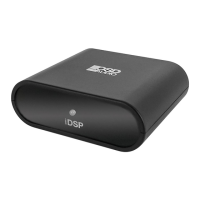
Because of its minimal current draw and convenient 5V micro USB power connection, the iDSP can be powered by nearly
any USB Type-A port with a standard micro USB cable. It is recommended to use the supplied USB power brick.
Input Audio Signal
Connecting the iDSP to a typical AV receiver is easy. Simply use the provided RCA cable by plugging the RCA end into
the ‘sub out’ port on your AV Receiver (AVR) and the other end into the input side of your iDSP. It is okay only to use either
the red or white RCA plug, and leave the other one unused, but you can also use an RCA Y Adapter that is 2 Female to 1
Male to eliminate this. If you are currently using the high-level inputs on your subwoofer amp to add a subwoofer to your
system, adding a iDSP might not be possible without modifying what equipment you are using. It is possible to use a RCA
male to dual RCA female cable (also known as an ‘aux splitter’) with the iDSP, which might allow you to use the iDSP if
you are currently using high-level inputs on a subwoofer amplier.
Output Audio Signal
The RCA output jack on your iDSP should be hooked up to the line-level input to your subwoofer amplier using the
provided RCA cable. If your subwoofer amplier only has one RCA jack instead of two (often labeled LFE), it is okay only
to attach only one of the RCA plugs into your subwoofer.
Features / Version Standard Pro
X-Over Control √ √
Gain Control √ √
SHS Control √ √
Delay Control √ √
Phase Control √ √
Limiter-Compressor Base Control √ √
Limiter-Compressor Detailed Control x √
Dynamic Bass Base Control √ √
Dynamic Bass Detailed Control x √
Remote Hardware Control
(Hardware Vr Detailed Settings, Auto On Threshold Features)
√ √
Preset Manager √ √
Preset Import/Export Features √ √
Room Correction
(Group Of Functions For A Minimum Phase For Frequency/Impulse Response Correction)
x √
SPL Meter x √
iDSP manual rev1 simon.indd 5 12/7/20 8:28 AM


 To Next Page
 Loading...