AURORA1600 Features
14
Name Resolutions
HD-SDI: 720p50/59.94/60, 720p23.98/24/25/29.97/30,
1080i50/59.94/60, 1035i59.94, 1035i60,
1080p23.98/24/25/29.97/30, 1080sf23.98/24
3G-SDI: 1080p50/60/59.94
6. Ethernet (RJ-45)
It provides one 10/100M Ethernet interface which is used to connect with a
computer to access the network control page or run the device control tool
to modify the network settings.
The default IP address of AURORA1600 is 192.168.1.70.
Restore the default IP setting by short-circuit two pairs of the corresponding
pins of RS422 interface at the rear panel. Refer to “Chapter 3 Unpack and
Installation-- Restore the default IP setting” for the details.
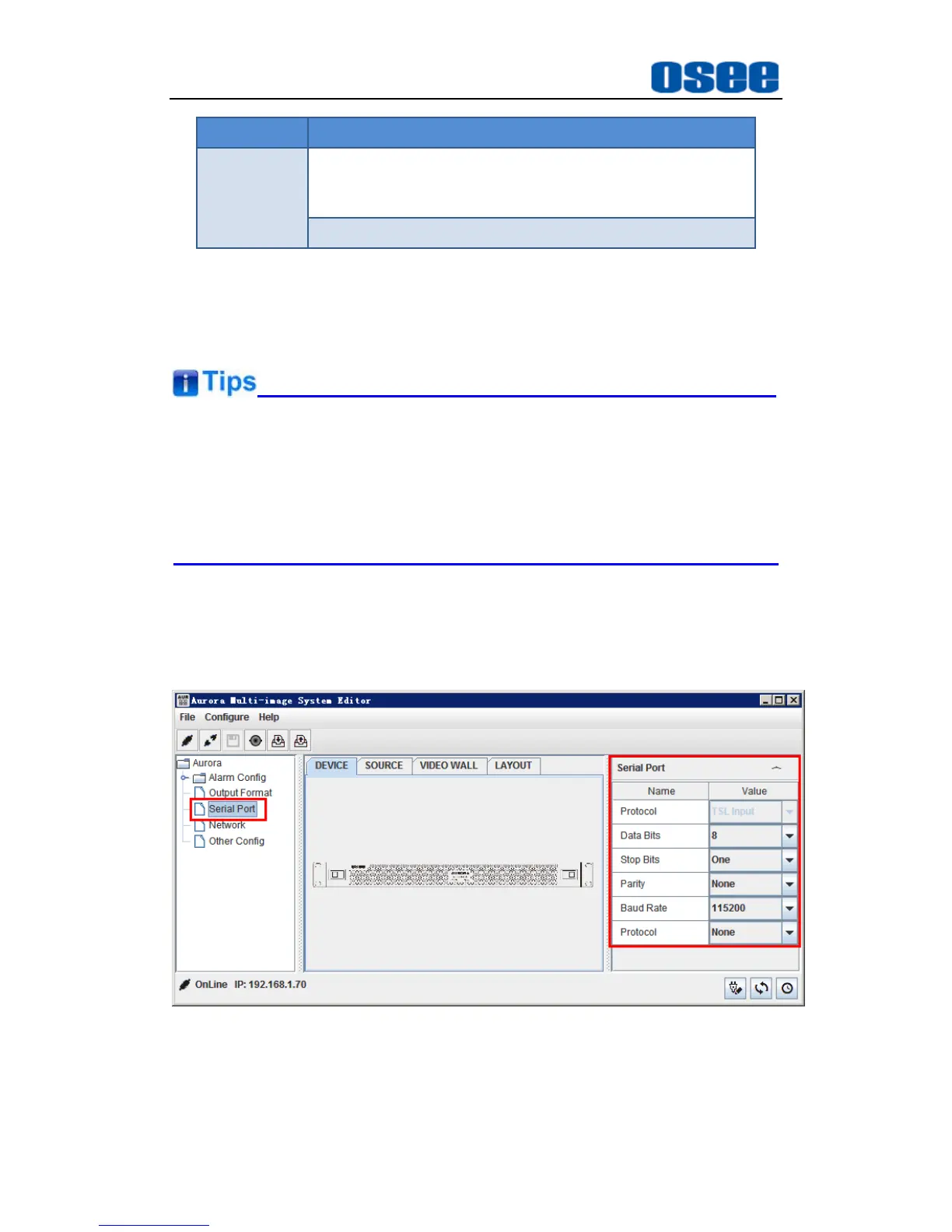
7. RS422(RJ-45)
It offers one RS422 interface to set as TSL in AURORA control software.
Set it in Device Configuration Window
Serial Port
Properties window,
as shown in Figure 4.2-4:
Figure 4.2-4 The Application of RS422 Connector



 To Next Page