6
CONTROL PANEL
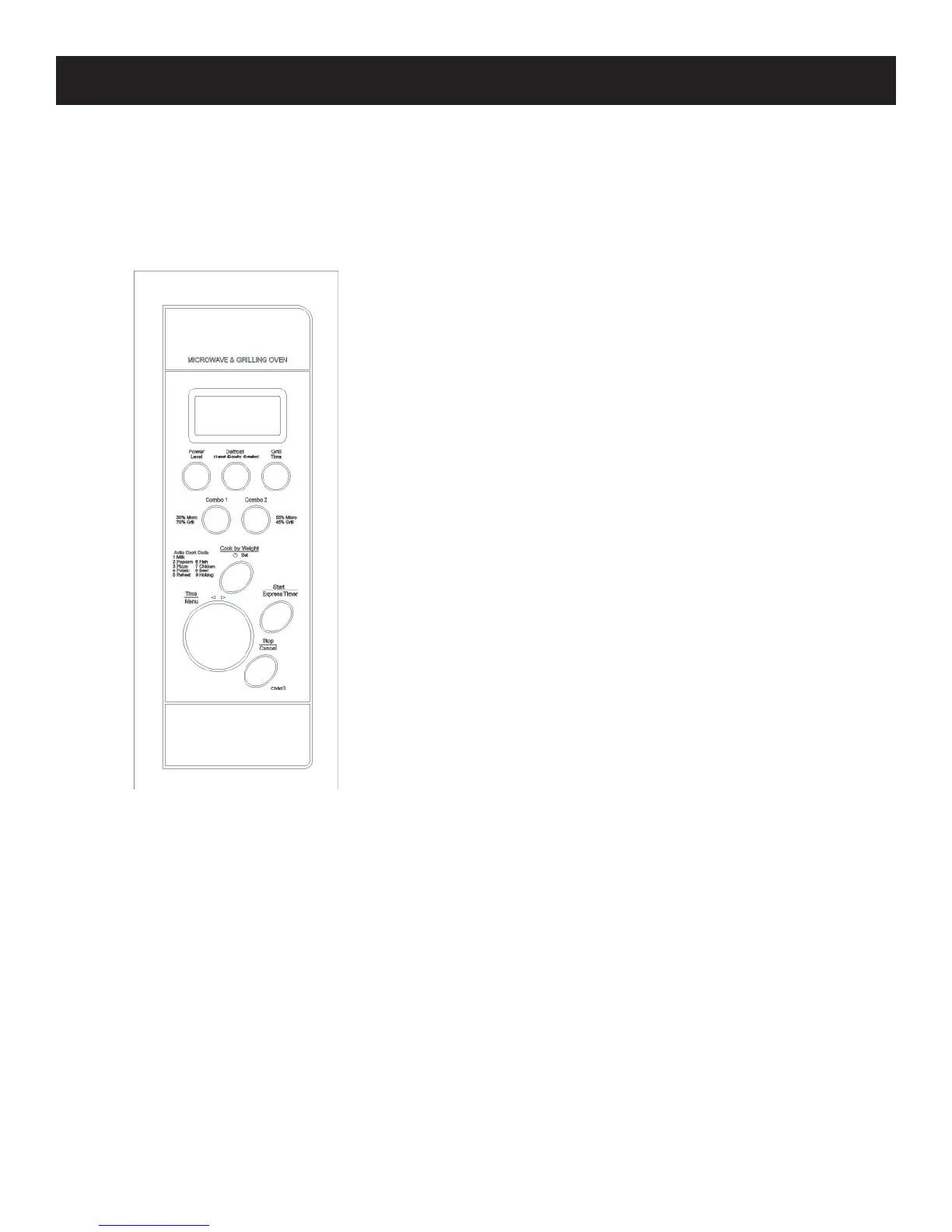
DISPLAY SCREEN: Cooking time, power,
indicators, and present time are displayed.
POWER: Used to set cooking power level.
GRILL: Used to set a grill-cooking program.
START: Touch to start cooking.
STOP/CANCEL: Touch to stop cooking or clear
previous settings.
COMBO1 / COMBO2: Used to cook with combined
grill and microwave power.
TIME/MENU: Turn the dial to set the cook time or
select an auto-cooking menu or auto-defrost.
DEFROST: Use to start defrosting by weight.
COOK BY WEIGHT / CLOCK SET After selecting
an auto-cook program, use to specify food weights or
number of servings. Sets current time.


 To Next Page