Chapter 3:Configuration
5
C
C
h
h
a
a
p
p
t
t
e
e
r
r
3
3
:
:
C
C
o
o
n
n
f
f
i
i
g
g
u
u
r
r
a
a
t
t
i
i
o
o
n
n
This section contains instructions for configuring the TCP/IP protocol of the Wireless LAN Card. The IP address
policy depends on your wireless network. You should configure your TCP/IP protocol as instructed by your network
administrator.
Setting TCP/IP on Client PC
F
F
o
o
r
r
W
W
i
i
n
n
d
d
o
o
w
w
s
s
9
9
8
8
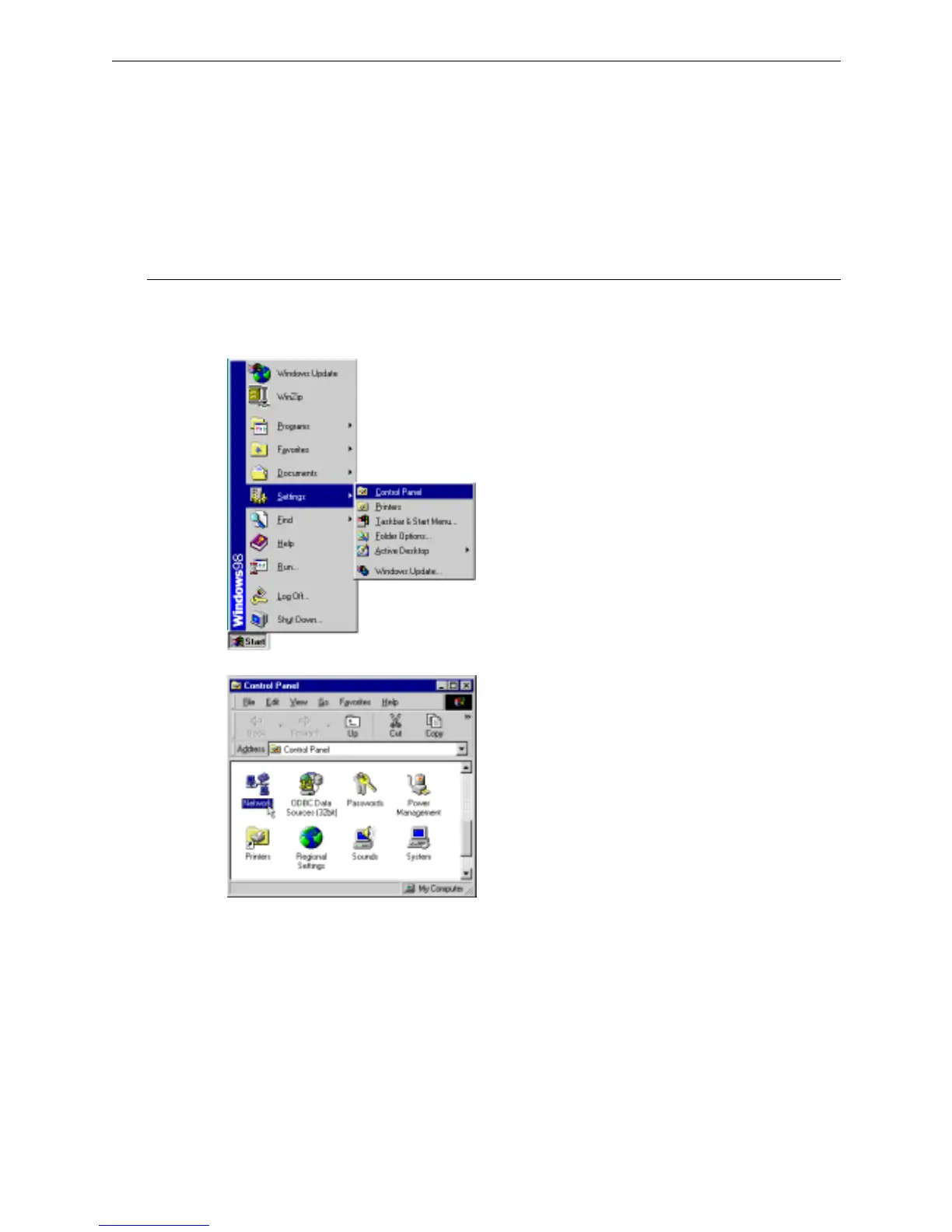
1. Click on the Start menu, point to Settings and click on Control Panel.
2. Double-click the Network icon.
3. The Network window appears. On the Configuration tab, check out the list of installed network components.
Option 1: If you have no TCP/IP protocol, click Add.
Option 2: If you have TCP/IP protocol, go to Step 6.



 To Next Page