22 23
About Getting started Daily use Options Tinnitus Warnings More info
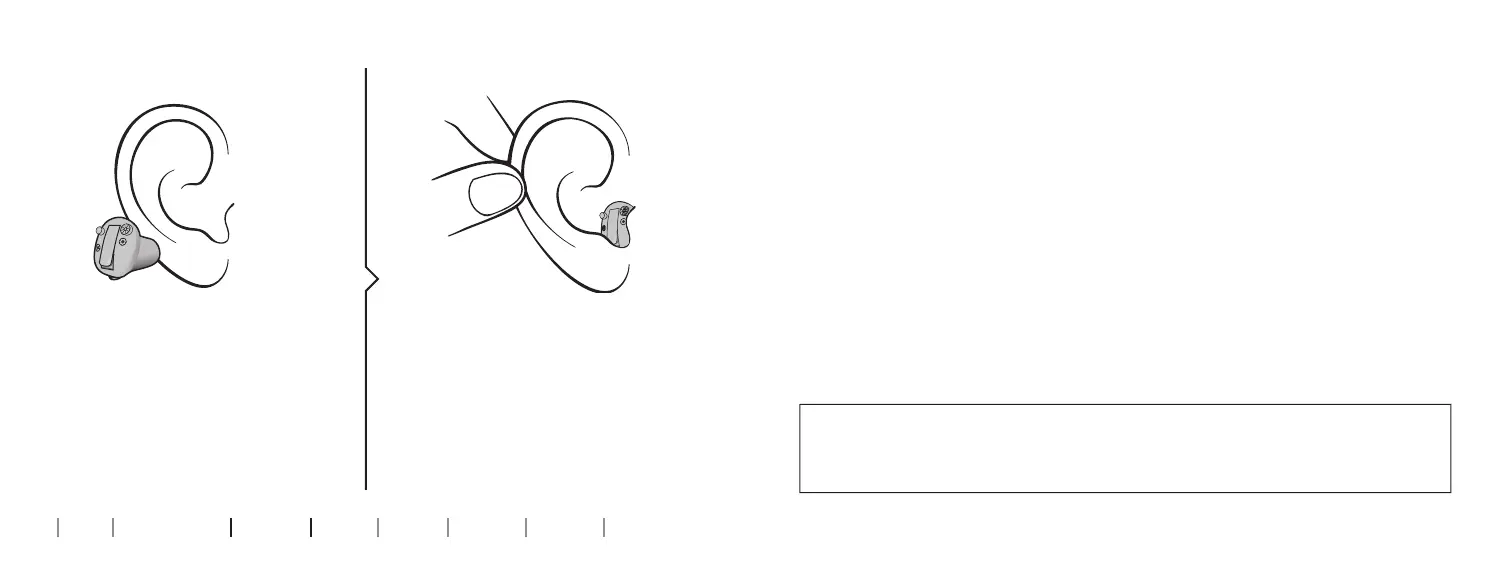
Insert the hearing aid
Place the tip of the hearing aid in your
ear canal.
Gently pull your ear outwards and
push the hearing aid into the ear canal,
twisting slightly if necessary. Follow
the natural contour of the ear canal.
Push the hearing aid to make sure it ts
comfortably in the ear.
Step 1 Step 2
Remove your hearing aid
Hold the hearing aid by the pull-out string (if available). Gently pull the
hearing aid from the ear canal.
If your hearing aid doesn’t have a pull-out string, you can remove it by
pulling on the edge of the hearing aid.
IMPORTANT NOTICE
DO NOT use the battery door as a handle to insert or remove your hearing aids,
as it is not designed for this purpose.










 To Next Page