14 15
About Start up Handling Options Warnings More info
Turn the hearing aid ON and OFF
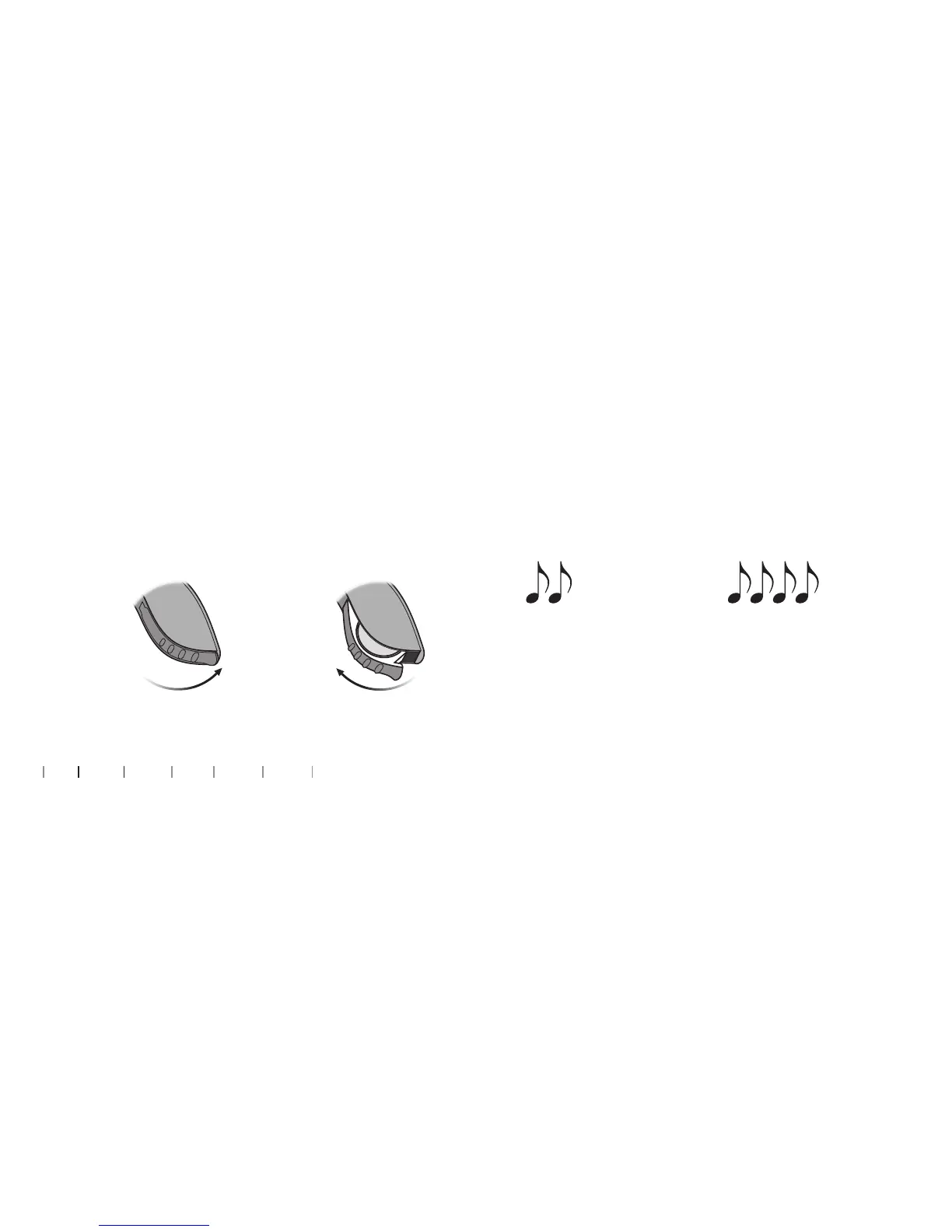
The battery drawer is also used to switch the hearing aid on and o. To
preserve the battery, make sure your hearing aid is switched o when
you are not wearing it.
When to replace a battery
When it is time to replace the battery you will hear two beeps
repeated in moderate intervals until the battery runs out.
Two beeps
= The battery is running low
Four beeps
= The battery has run out
Battery maintenance tip
To make sure the hearing aid is always working, bring spare batteries
with you, or replace the battery before you leave home.
Turn ON
Close the
battery
drawer with
the battery
in place
Turn OFF
Open the
battery drawer
Note: The batteries need to be replaced more often if you are streaming audio or music to your hearing aids.



 To Next Page