26 27
About Startup Handling Options Tinnitus Warnings More info
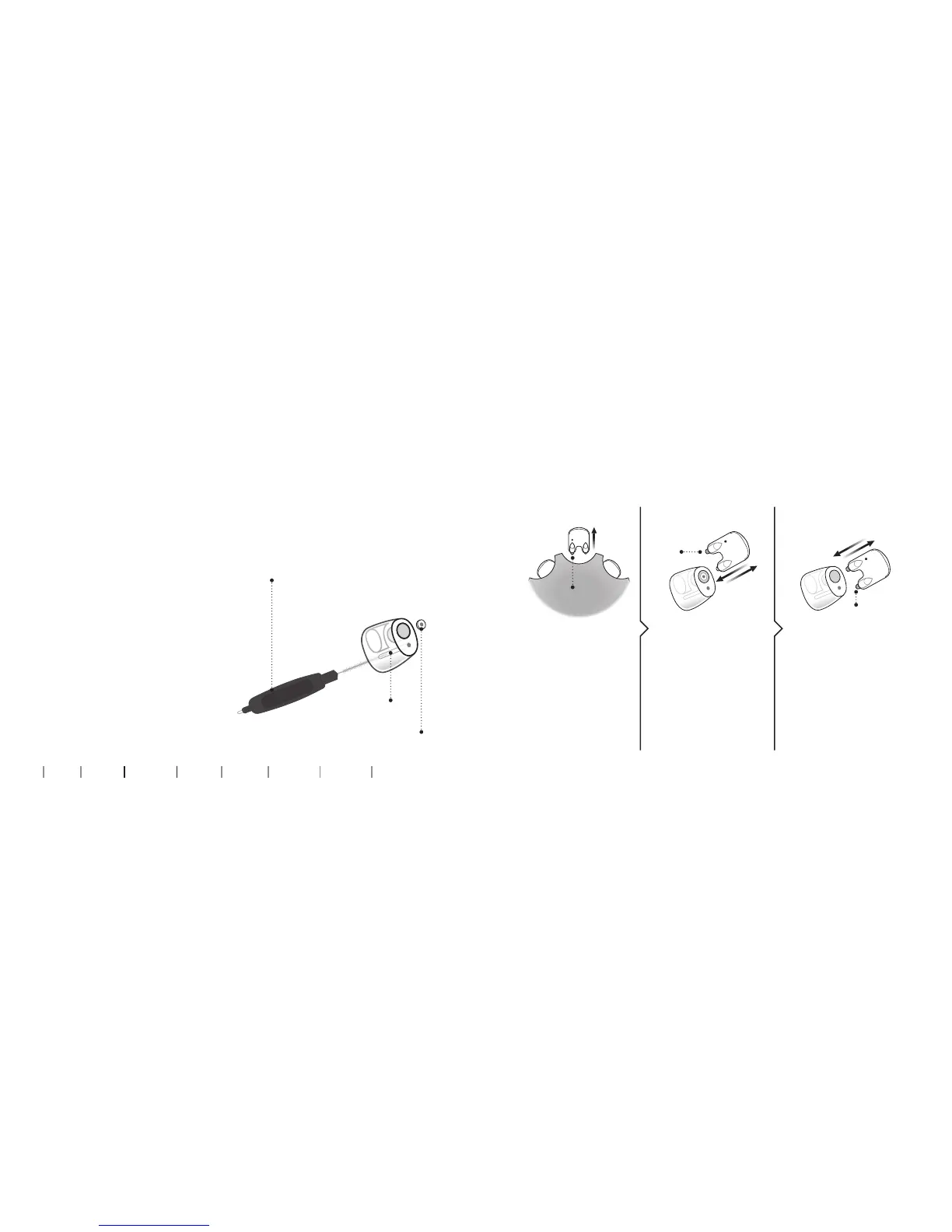
Wax filter
Customized earpieces: Clean MicroMold, LiteTip,
or Power Receiver Mold
The earpiece should be cleaned
regularly.
The earpiece has a white wax
filter*. The filter keeps wax
and debris from damaging the
speaker.
Replace the filter when
clogged, or if the hearing
aid does not sound normal.
Alternatively, contact your
hearing care professional.
Clean the vent by pressing
the brush through the hole,
twisting it slightly.
Vent
* VarioTherm MicroMold and LiteTip do not have a wax filter
New
filter
Replace ProWax lter
2. Remove 3. Insert
Remove the tool
from the shell. The
tool has two pins,
one empty for
removal and one
with the new wax
filter.
Push the empty pin
into the wax filter
in the earpiece and
pull it out.
Insert the new wax
filter using the other
pin, remove the tool,
and throw it out.
1. Tool
New
filter
Old filter



 To Next Page
 Loading...