20
Turning the Streamer on and o
Power on
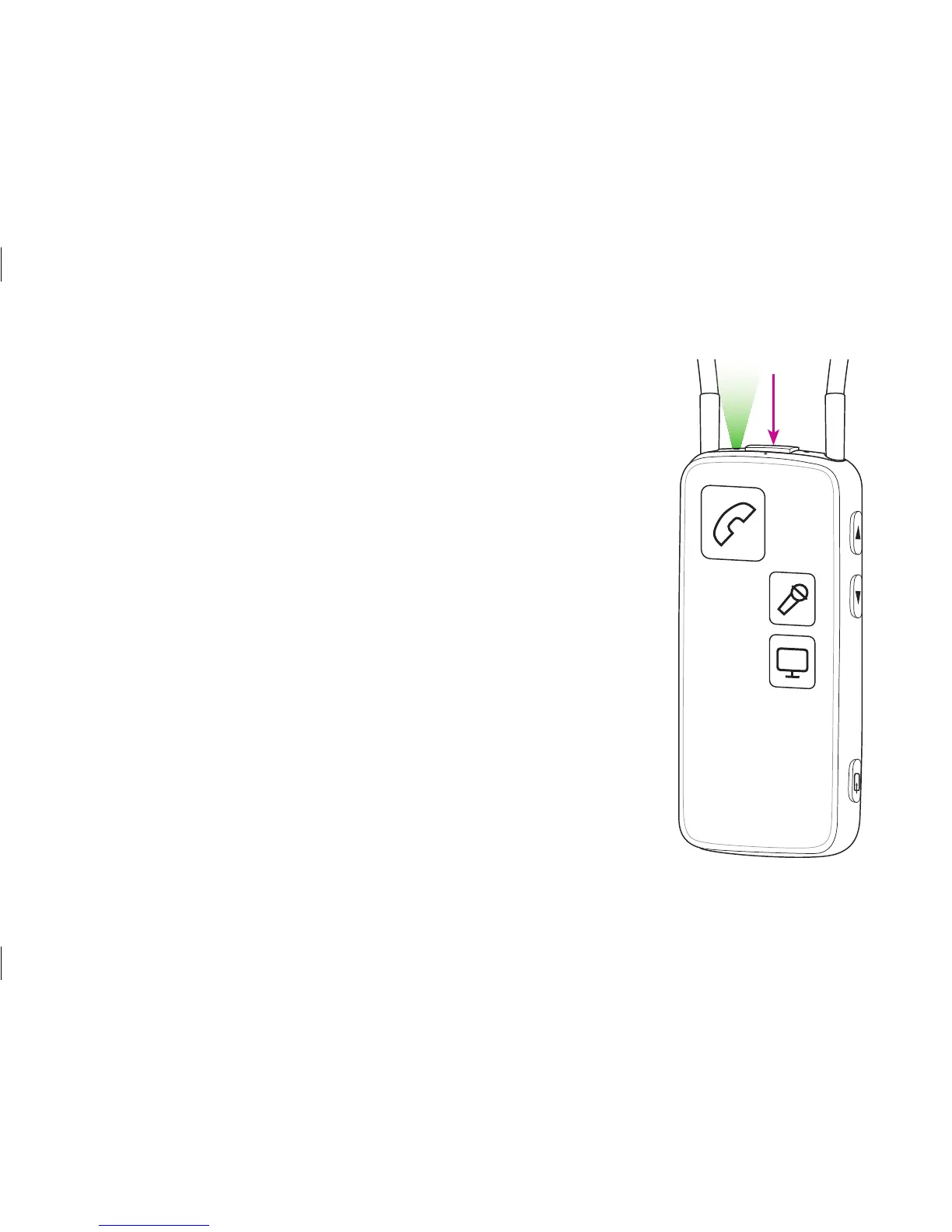
Press the on/off button on the top of the Streamer for
approx. 2 seconds until all lights on the front and top flash
to indicate it is powered on.
Release the on/off button. The power indicator on the top
of the Streamer should now fade to green.
If the Streamer cannot power on, make sure it is charged
(page 22).
To see the status of the Streamer, press the on/off button
briefly.
Power o
Press and hold the on/off button on the top of the
Streamer for approx. 2 seconds until the green power
indicator is turned off.







 To Next Page