EasyManua.ls Logo

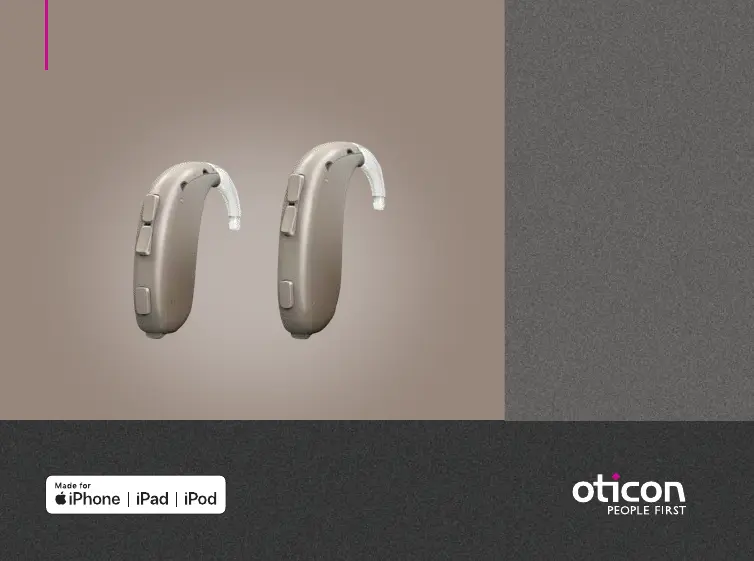
oticon Xceed 3 - User Manual

oticon Xceed 3
40 pages
Print Icon
To Next Page IconTo Next Page
Loading...
Instructions for use
BTE SP
BTE UP
Oticon Xceed
Oticon Xceed Play

Questions and Answers

  • C
    Christie NielsenAug 10, 2025
    Why is my oticon Xceed 3 Hearing Aid not working and has no sound?
    • A
      angelagarciaAug 10, 2025
      If your Oticon Hearing Aid has no sound, it could be due to several reasons. The battery might be dead, so try replacing it. Alternatively, the mold could be clogged, requiring cleaning. Also, check if the microphones are muted and unmute them if necessary.
  • M
    Melissa FlowersAug 16, 2025
    What does beeping and orange flashes mean on my Oticon Hearing Aid?
    • C
      Christopher StephensAug 16, 2025
      If your Oticon Hearing Aid plays 8 beeps, 4 times consecutively, and/or repeatedly flashes orange 4 times with small pauses, your hearing aid needs a microphone service check.
  • J
    Jason GriffinAug 22, 2025
    What to do if my oticon Xceed 3 has intermittent sound?
    • I
      Isaiah GeorgeAug 22, 2025
      If you're experiencing intermittent or reduced sound with your Oticon Hearing Aid, consider these possibilities: The sound outlet may be clogged, so try cleaning the mold. Moisture might be affecting the device; wipe the battery with a dry cloth. Also, a dead battery could be the cause, so replace it to see if that resolves the issue.
  • J
    Julie HornAug 27, 2025
    How to fix pairing issues with my Oticon Hearing Aid on an Apple device?
    • V
      Veronica Thompson DDSAug 27, 2025
      If you're having pairing issues with your Oticon Hearing Aid and an Apple device, it might be due to a failed Bluetooth connection or only one hearing aid being paired. To resolve a Bluetooth connection failure: 1. Unpair your hearing aid via Settings?General?Accessibility?Hearing Devices?Devices ?Forget this device. 2. Turn Bluetooth off and on again. 3. Open and close the battery drawer on the hearing aid. 4. Re-pair the hearing aid.
  • J
    Jessica BradleySep 3, 2025
    Why does my oticon Xceed 3 Hearing Aid make a squealing noise?
    • D
      David McculloughSep 3, 2025
      A squealing noise from your Oticon Hearing Aid can occur due to a few reasons. The mold might be inserted incorrectly; try re-inserting it. Earwax accumulation in the ear canal could also be the cause, in which case you should have your ear canal examined by your doctor. If your ear has grown, contact your hearing care professional.

Summary

Model overview

Intended use

Hearing aid parts and functions

MultiTool for handling batteries and cleaning

Turn the hearing aid ON and OFF

When to replace the battery

How to replace the battery

Put on the hearing aid

Caring for the hearing aid

Clean the mold

Flight mode

Change program

Change volume

Mute

Use the hearing aid with iPhone and iPad

Pair with iPhone

Wireless accessories

Tamper-resistant battery drawer

Tinnitus SoundSupport (optional)

Guidelines for tinnitus sound generator users

Sound and volume adjustment

Mute

Volume adjustments with Tinnitus SoundSupport

How to change Tinnitus SoundSupport volume

Limitation on use time

Tinnitus SoundSupport warnings

General warnings

Troubleshooting

Water and dust resistant (IP68)

Mobile phone

Your individual hearing aid settings

Sound and LED indicators

Warnings and indicators

Technical Data BTE SP

Technical Data BTE UP

Technical Data BTE SP Oticon Xceed Play

Technical Data BTE UP Oticon Xceed Play

oticon Xceed 3 Specifications

General IconGeneral
TypeBehind-The-Ear (BTE)
Battery TypeZinc-Air
Bluetooth ConnectivityYes
Tinnitus ReliefYes
Water ResistanceIP68
Maximum Power Output142 dB SPL
Input Dynamic Range113 dB
Tinnitus SoundSupportYes
Battery Size13
Noise ReductionAvailable
Feedback ManagementAvailable

Related product manuals